
What is AquaCrews?
AquaCrews schedules the officials who work swim meets. Officials sign up for the meets and sessions they can work, meet referees confirm and assign them, and LSC administrators keep the LSC's officials, pools, and news up to date - all in one place, instead of in emails and spreadsheets.
How it works
-
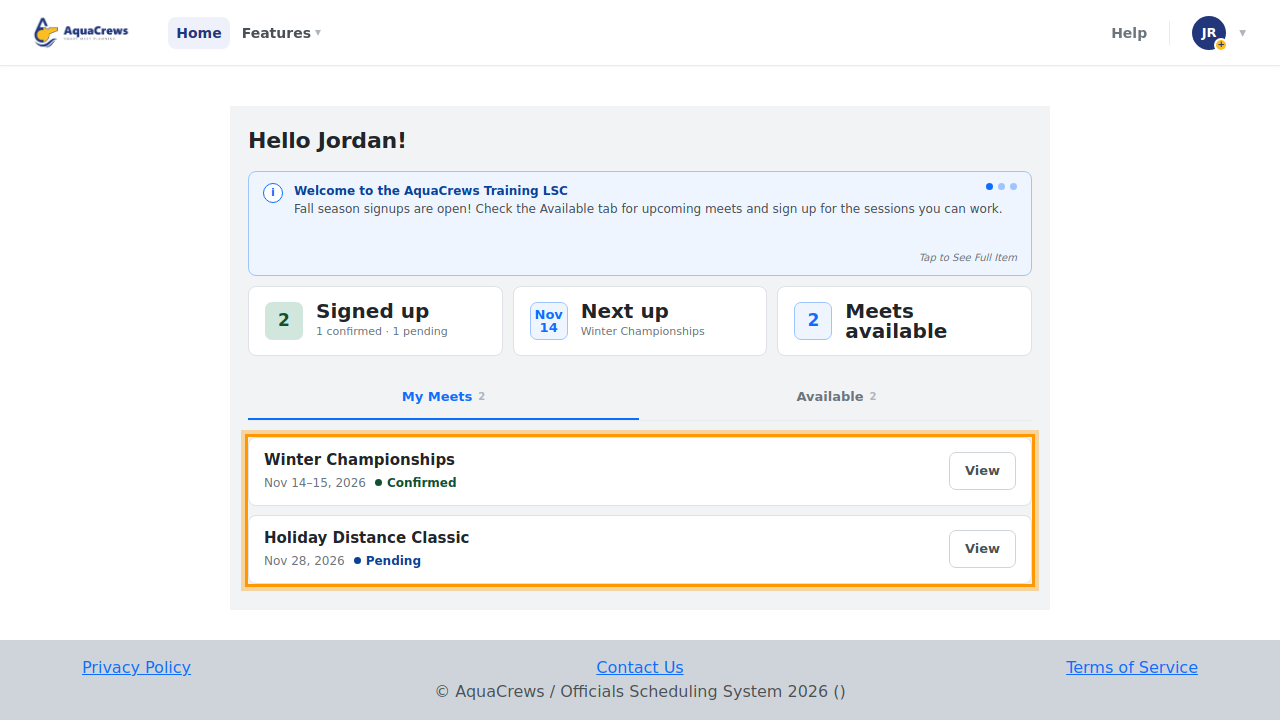
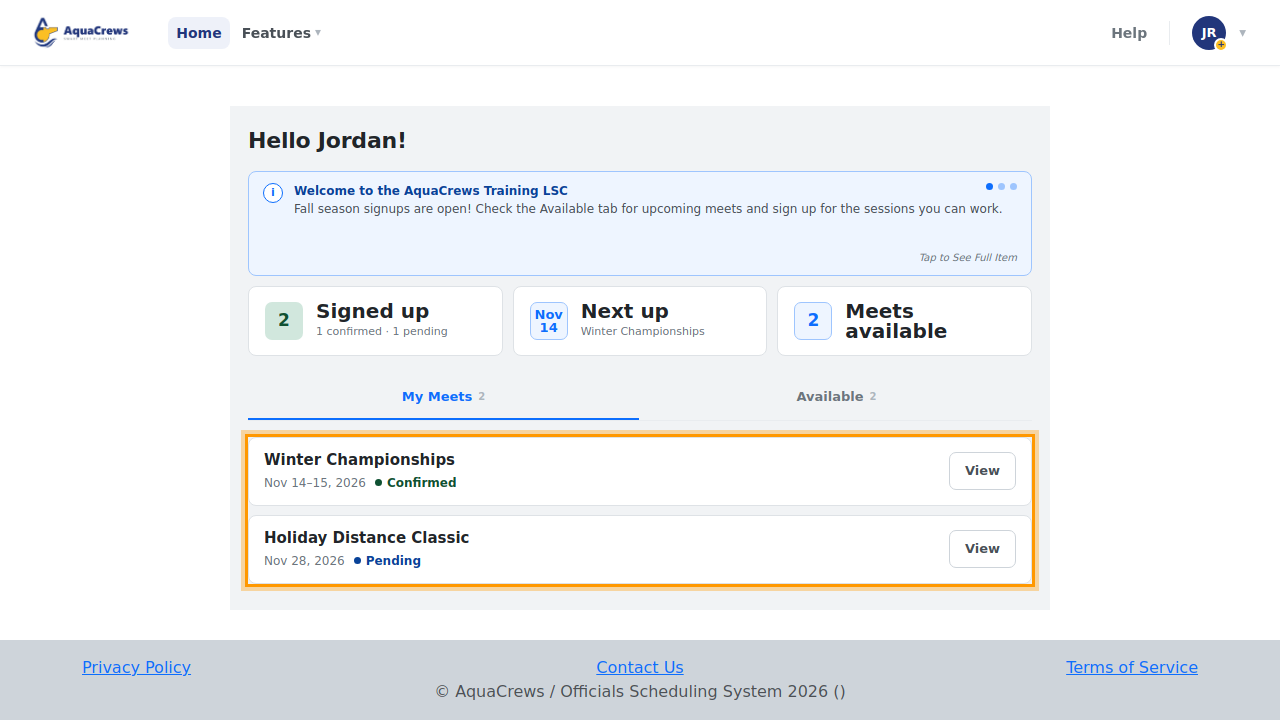
Officials see the meets they've signed up for, and their status, on the Home page.
Click to see a larger version -
The Available tab lists the meets that need officials.
-
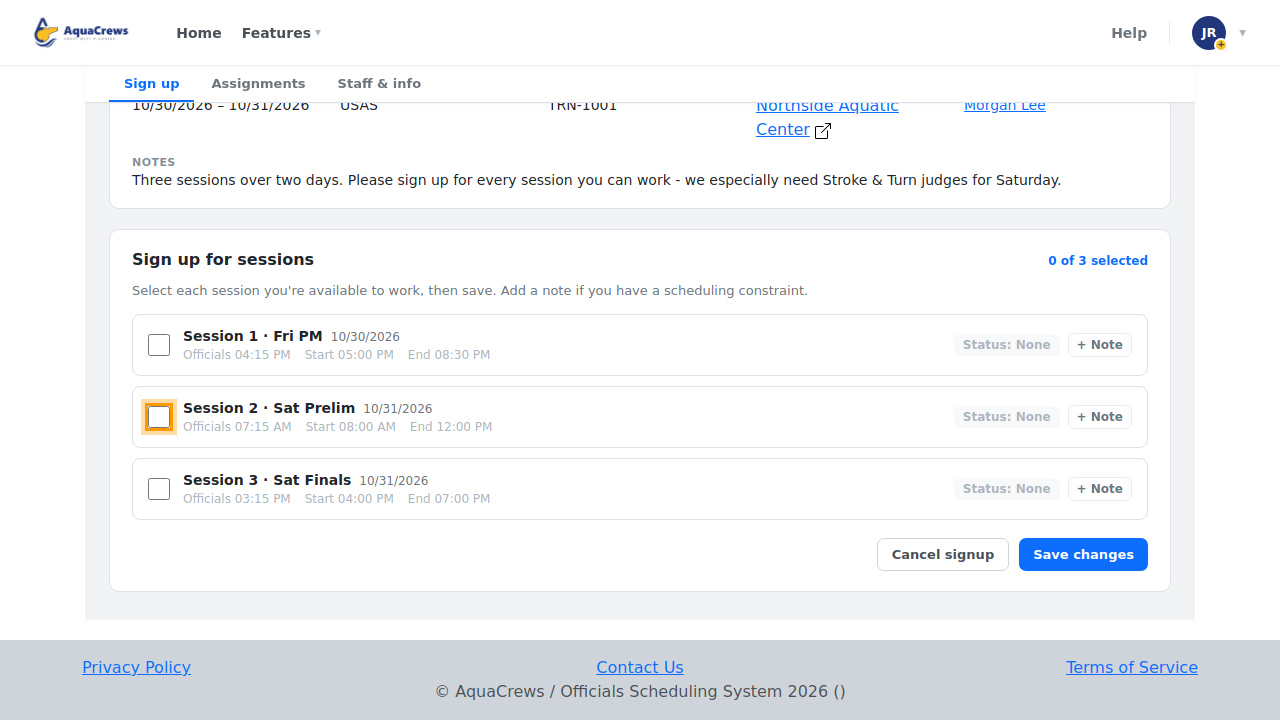
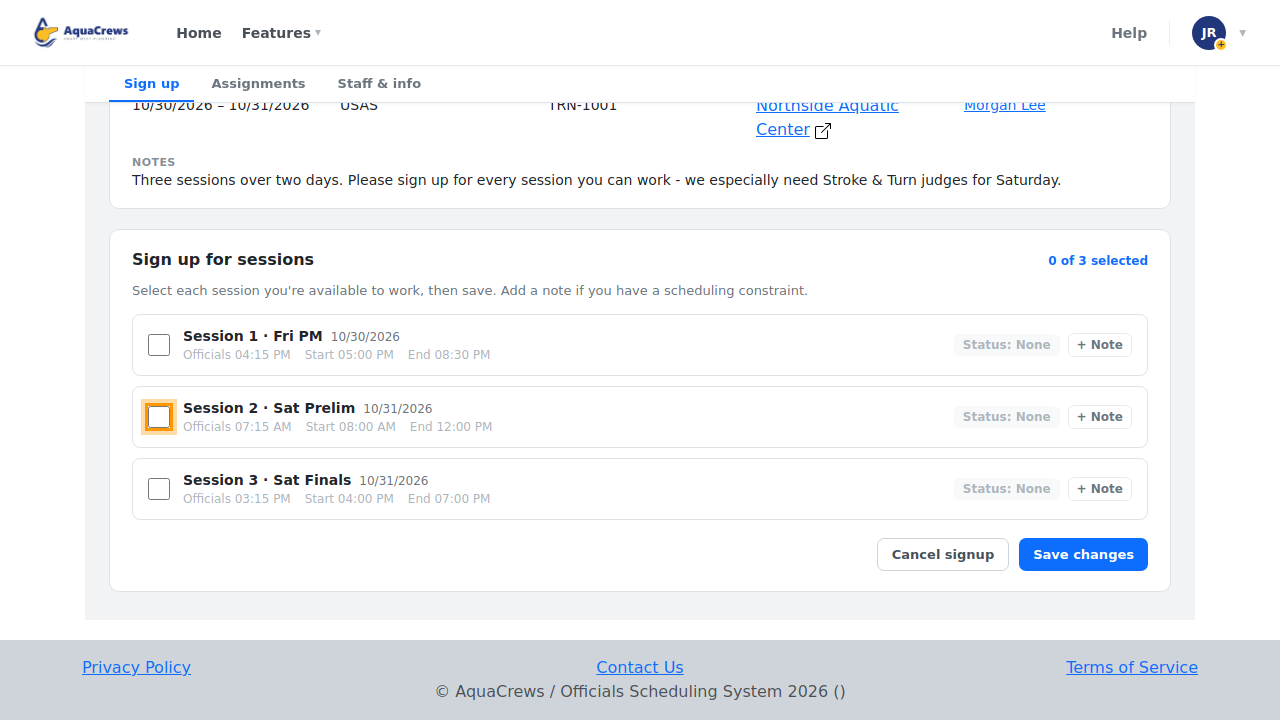
Officials pick a meet and sign up for the sessions they can work.
Click to see a larger version -
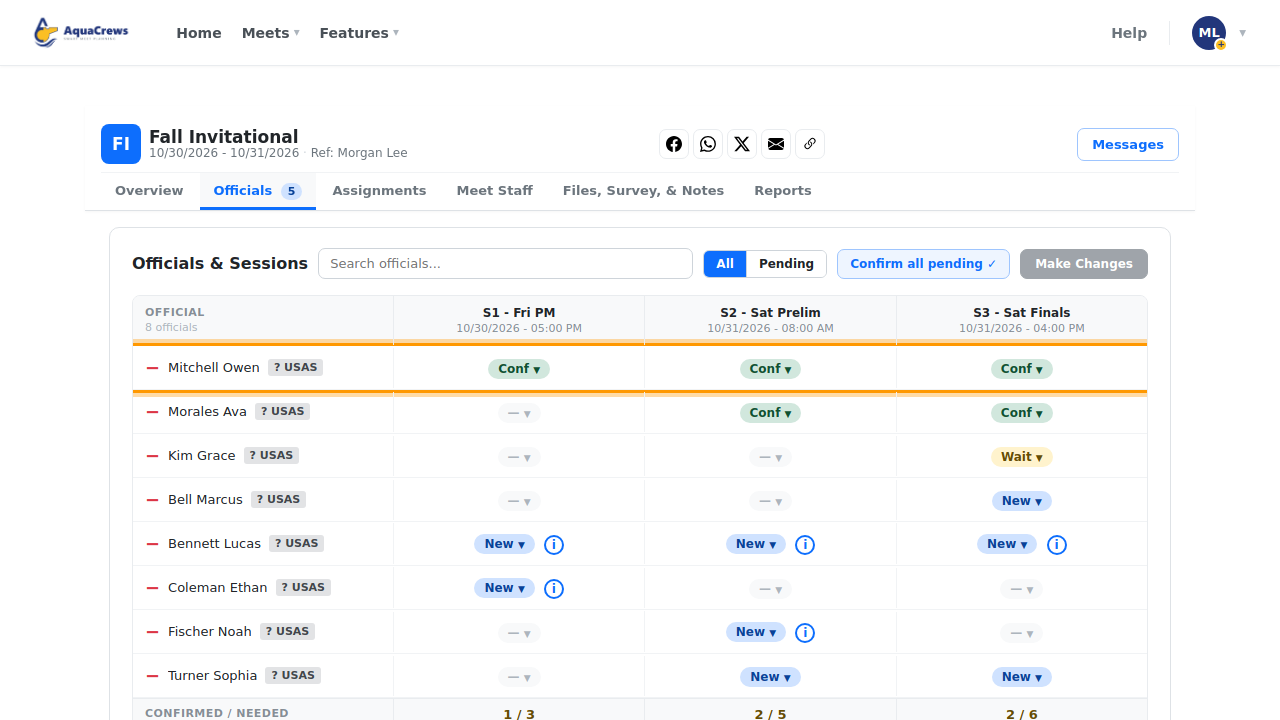
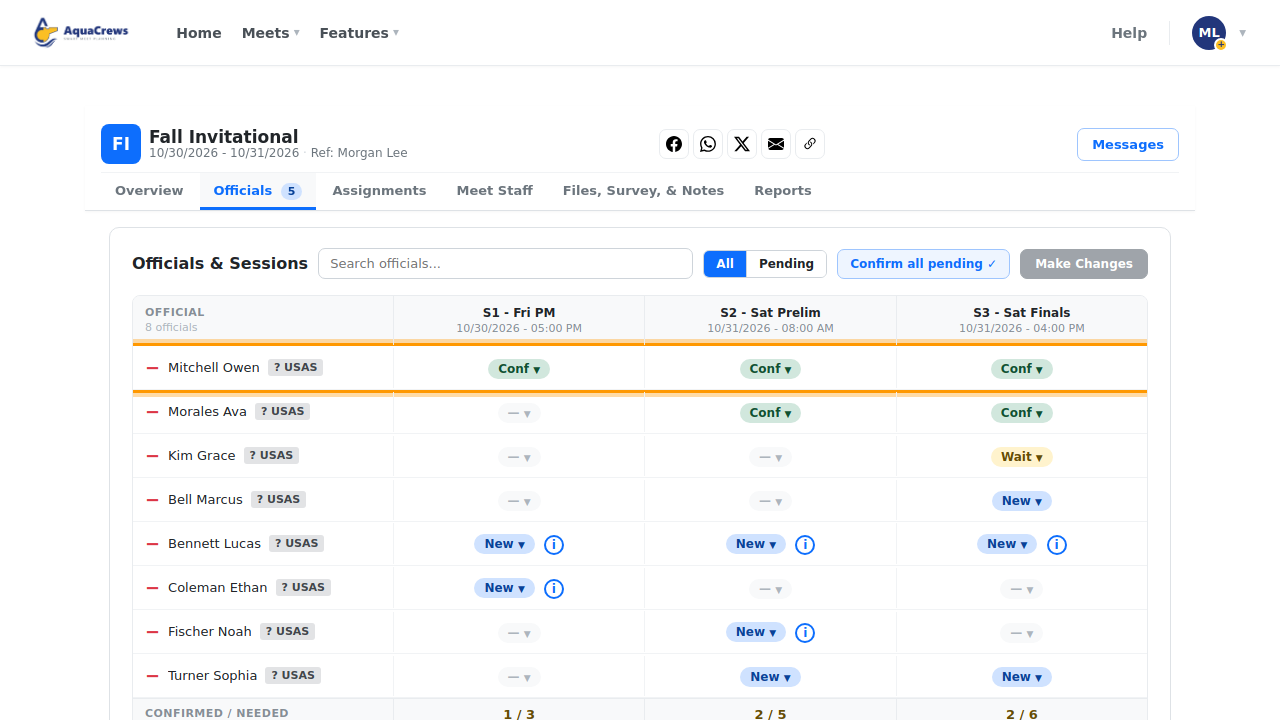
Meet referees create meets and confirm officials for each session.
Click to see a larger version -
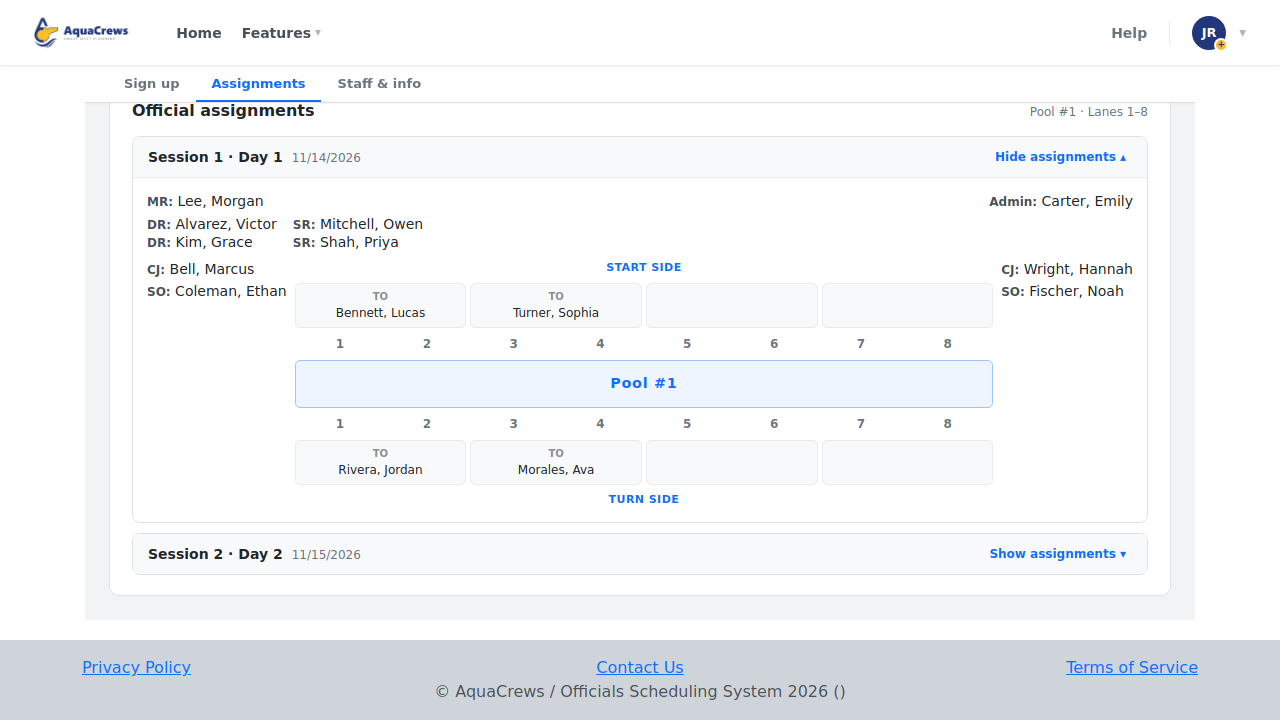
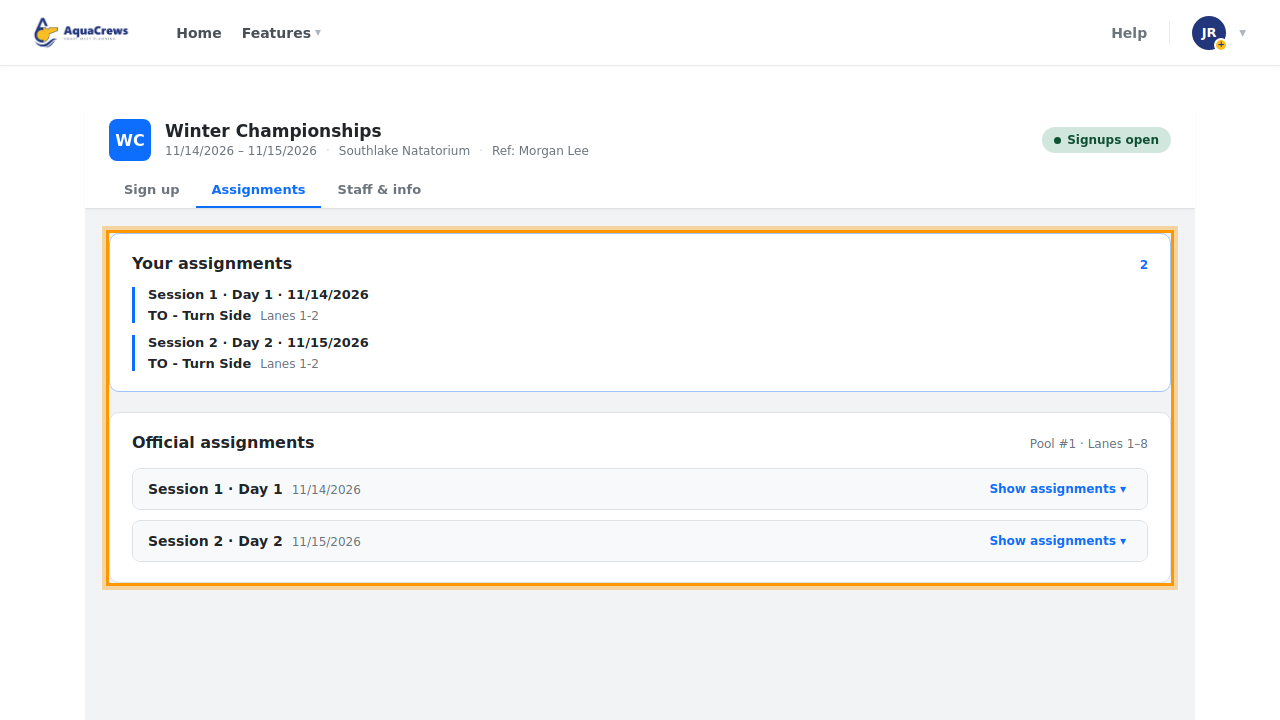
Officials see their assignments for each session once they're published.
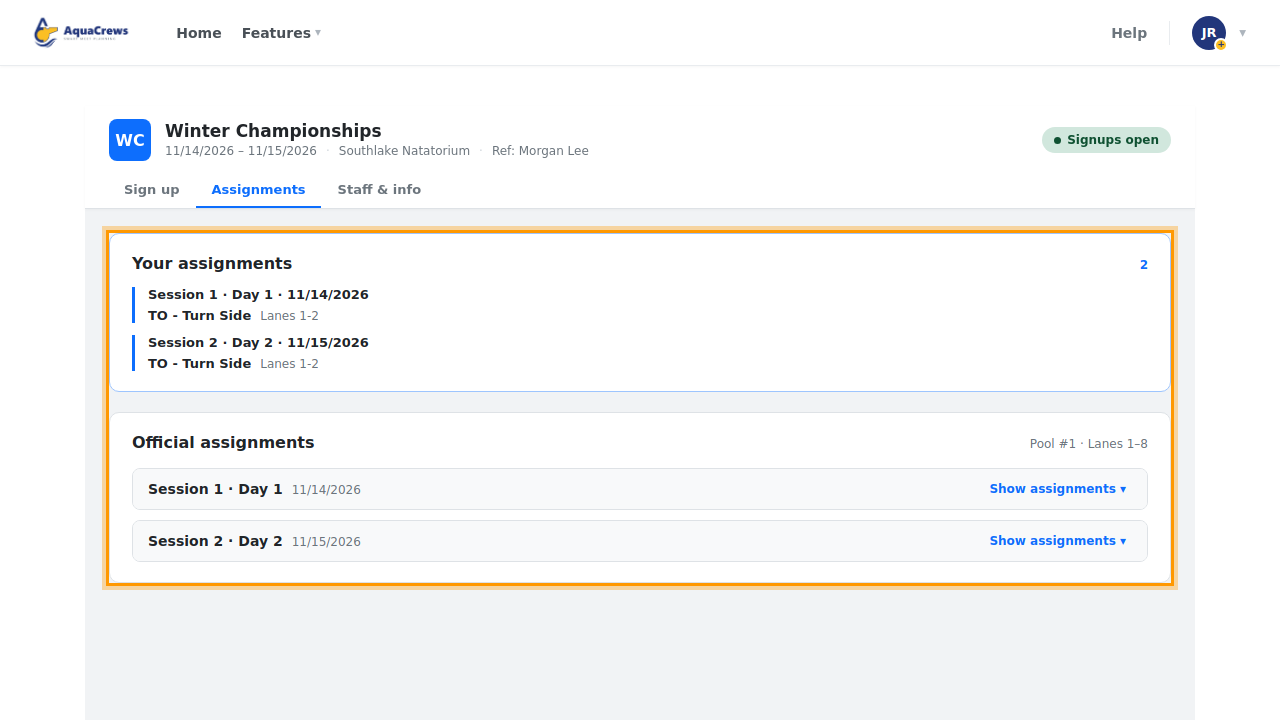
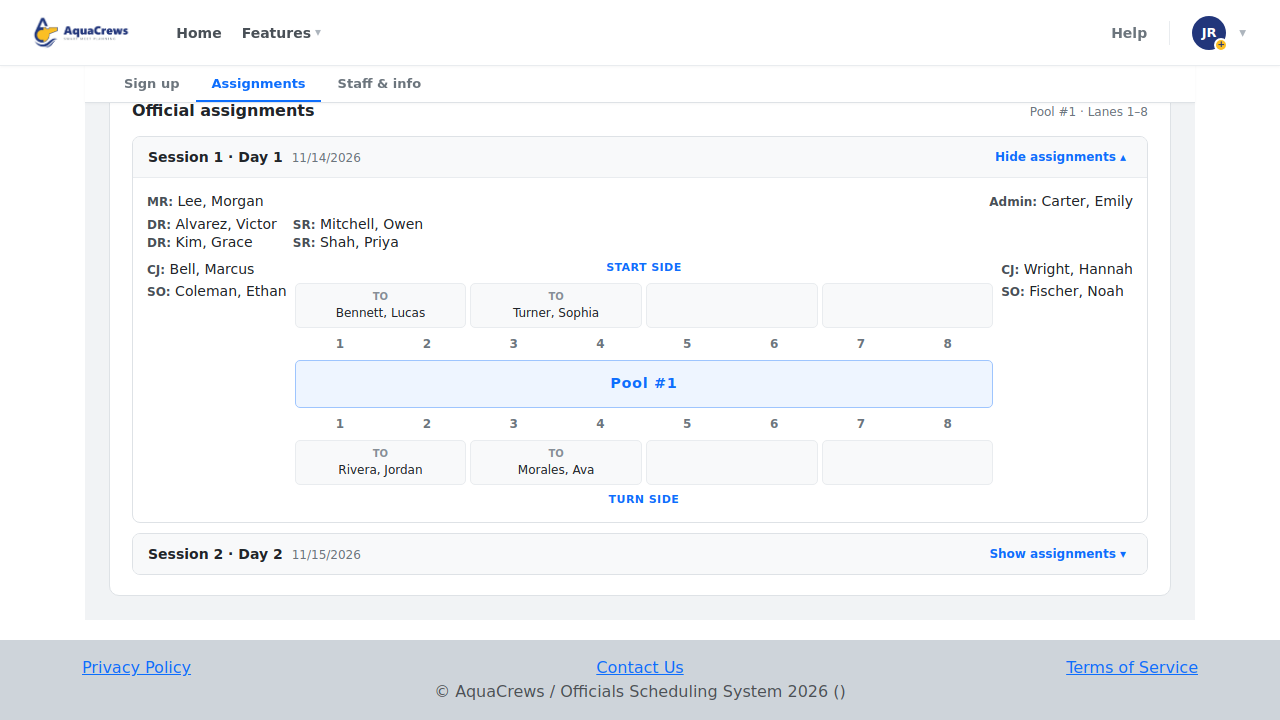
Click to see a larger version Click Show assignments to see everyone's position for that session.
Click to see a larger version -
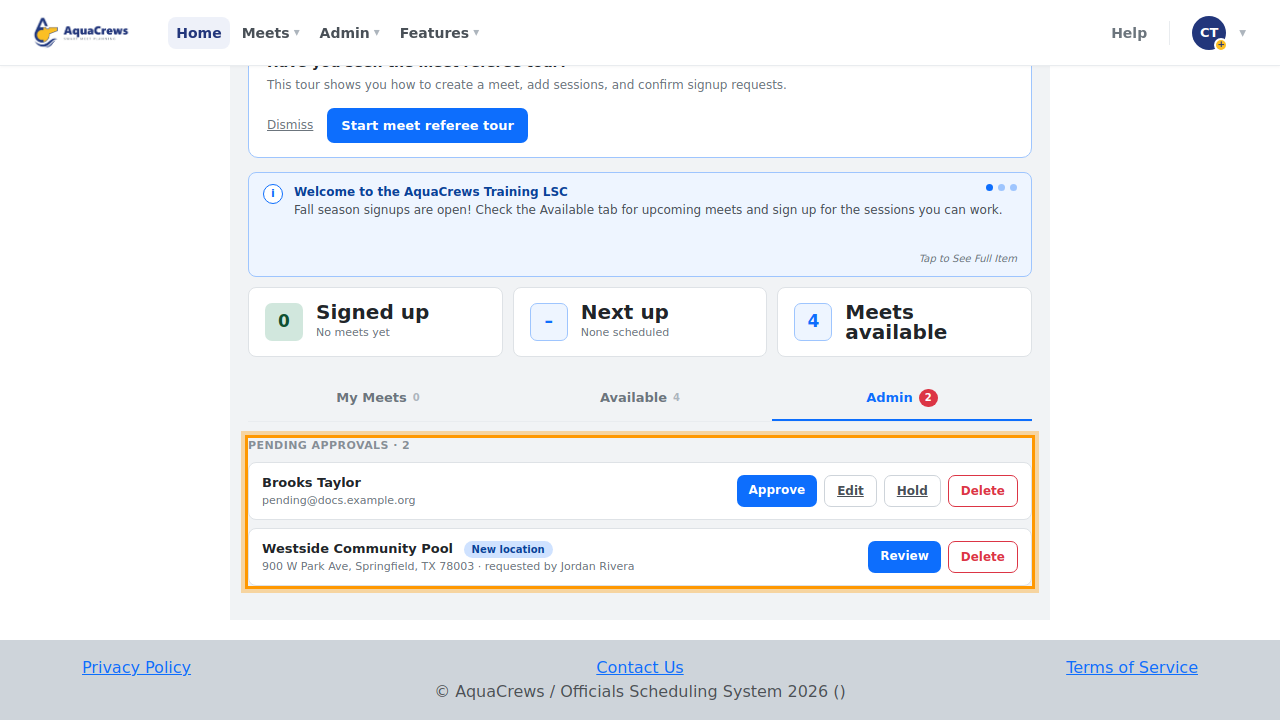
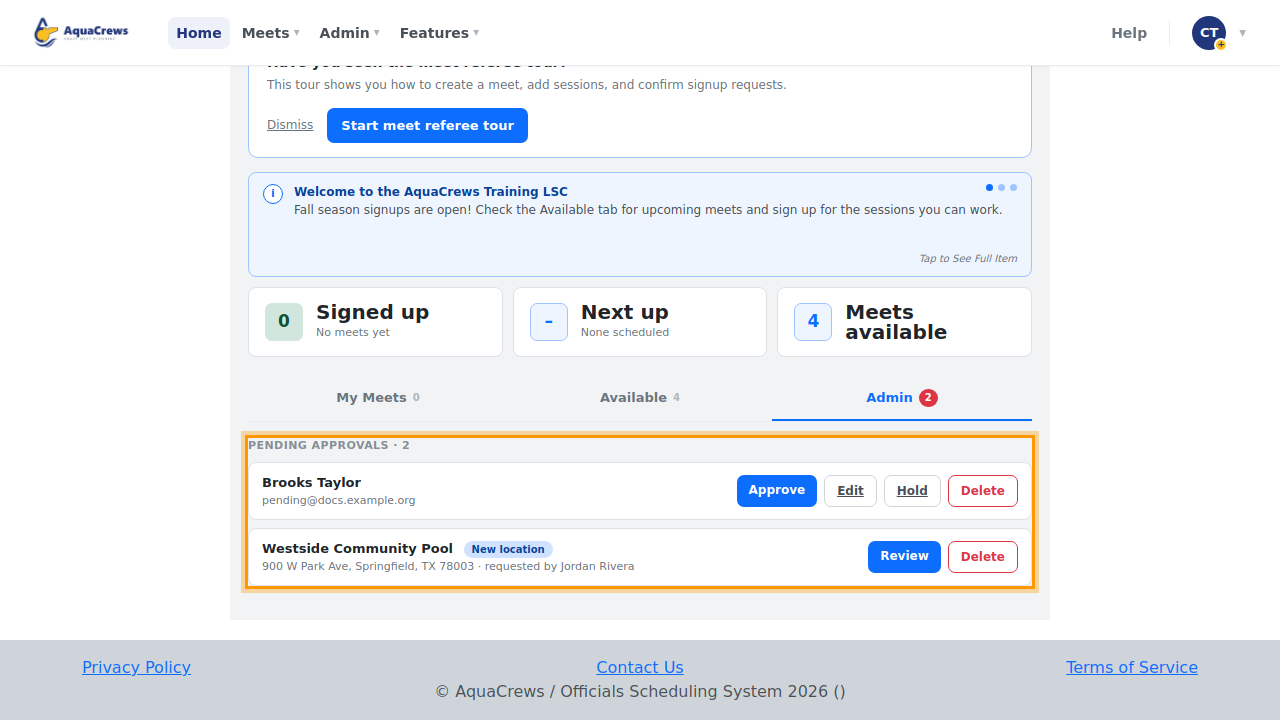
LSC administrators approve new accounts and manage the LSC's officials, pools, and news.
Click to see a larger version
Who does what
| Role | What they do |
|---|---|
| Official | Signs up for meets and sessions, sees status and assignments, keeps their profile current |
| Meet referee | Creates meets, confirms officials, builds and publishes assignments, runs reports, messages officials |
| LSC administrator | Approves accounts, manages users, regions, pools, news, and the LSC roster |
Everyone starts as an official. Your LSC administrator can give you more access, for example when you're running a meet.
Get started
- Create an account with email or with Google.
- Wait for your LSC administrator to approve it, then sign in.
- Take a tour of the Home page and update your profile.
- Sign up for a meet.
Related: Take the tour and get help