
Walkthrough - Signing up for a meet
From the Home page to a pending signup in one go: find a meet, check its details, and sign up for all of its sessions.
Before you start: you're signed in and your account has been approved.
Steps
-
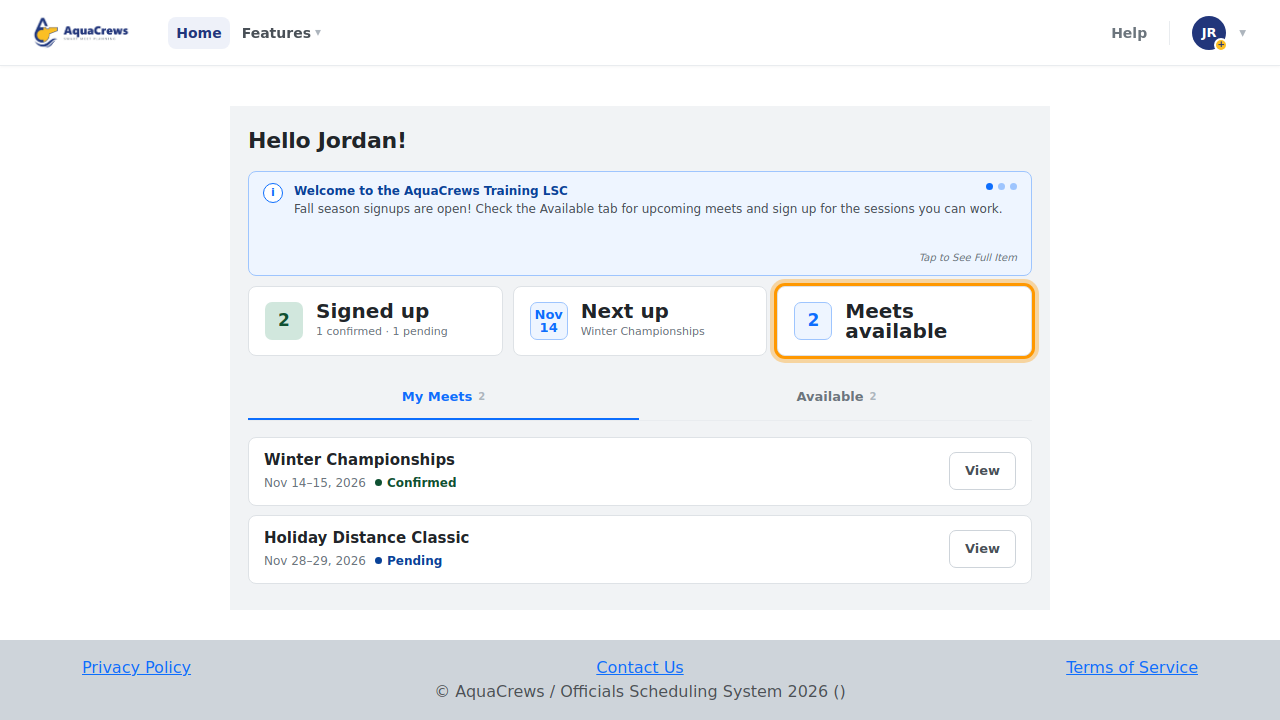
On the Home page, Meets available shows how many meets need officials.

Click to see a larger version -
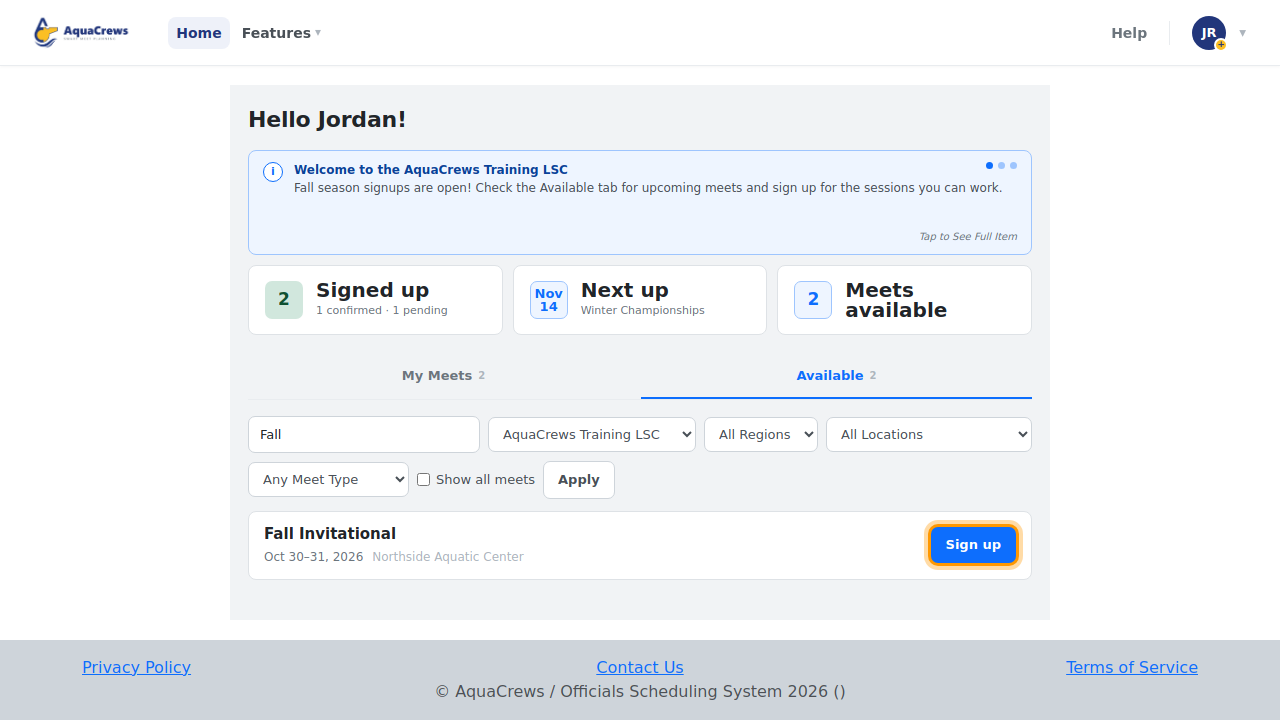
Click the Available tab.
- Search for the meet by name and click Apply.
-
Click Sign up.

Click to see a larger version -
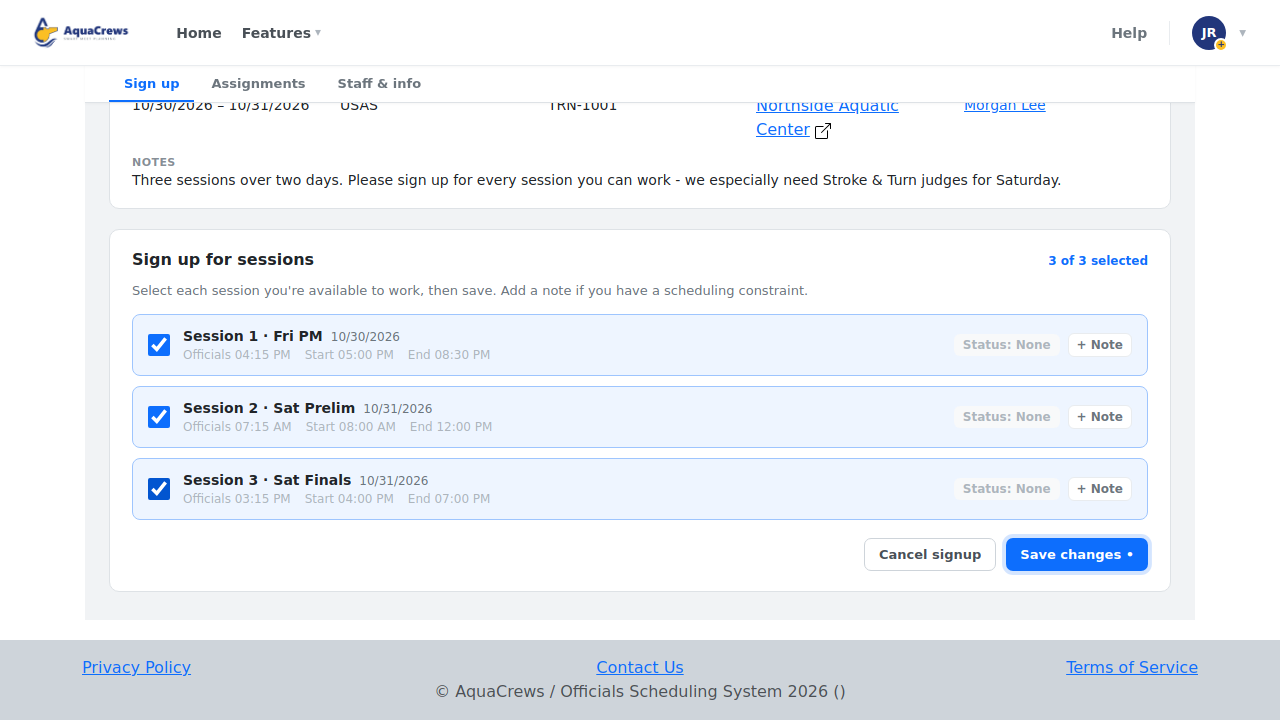
Read the Meet details - dates, location, and the meet referee's notes.
-
Check every session you can work.

Click to see a larger version -
Click Save changes.
-
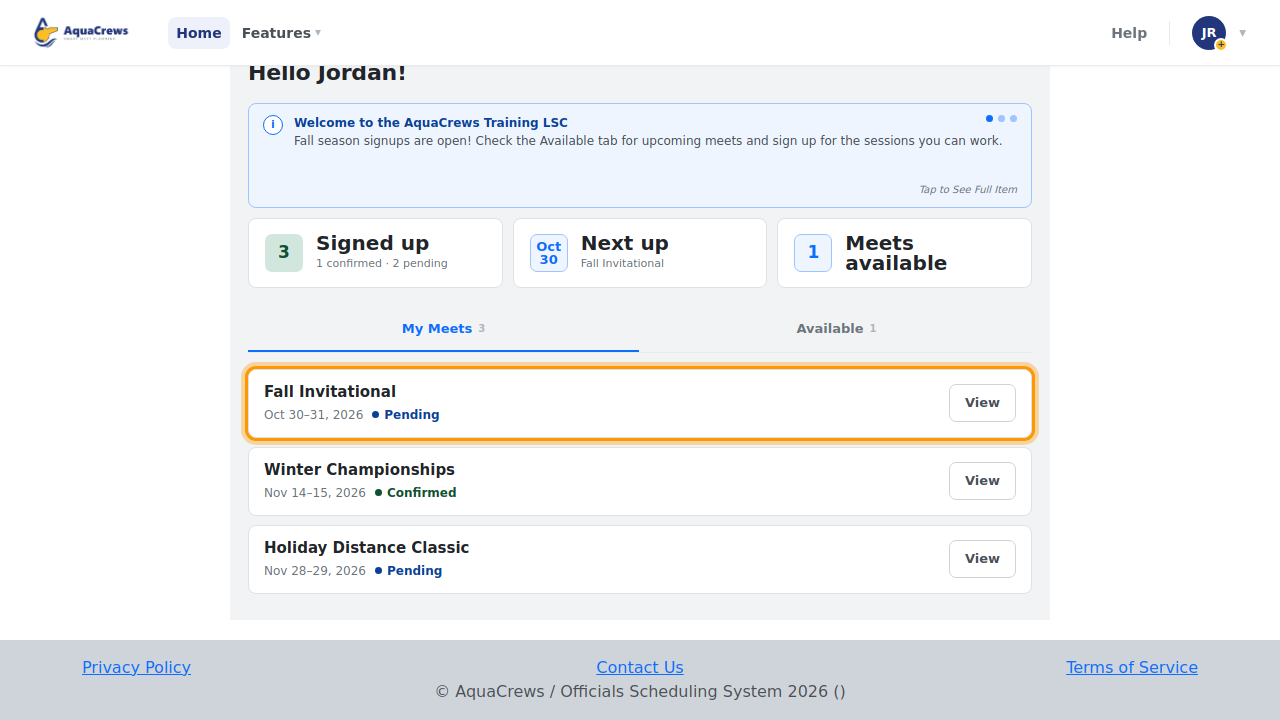
The meet now shows under My Meets as Pending until the meet referee confirms you.

Click to see a larger version -
You'll get an email when your status changes, if you've turned that on in your Profile.
Learn more about each step
- Find a meet - all the filters
- Sign up for a meet - choosing sessions and adding notes
- What your signup status means
- Choose your email notifications
Related: Change or cancel your signup · The meet info page