
The meet info page
Everything about a meet is on its info page: the details, your sessions and status, your assignments, the meet staff, and the roster.
Before you start: you're signed in.
What's on the page
- On the Home page, click View on one of your meets (or Sign up on the Available tab).
- The top of the page shows the dates, pool, meet referee, and whether signups are open.
-
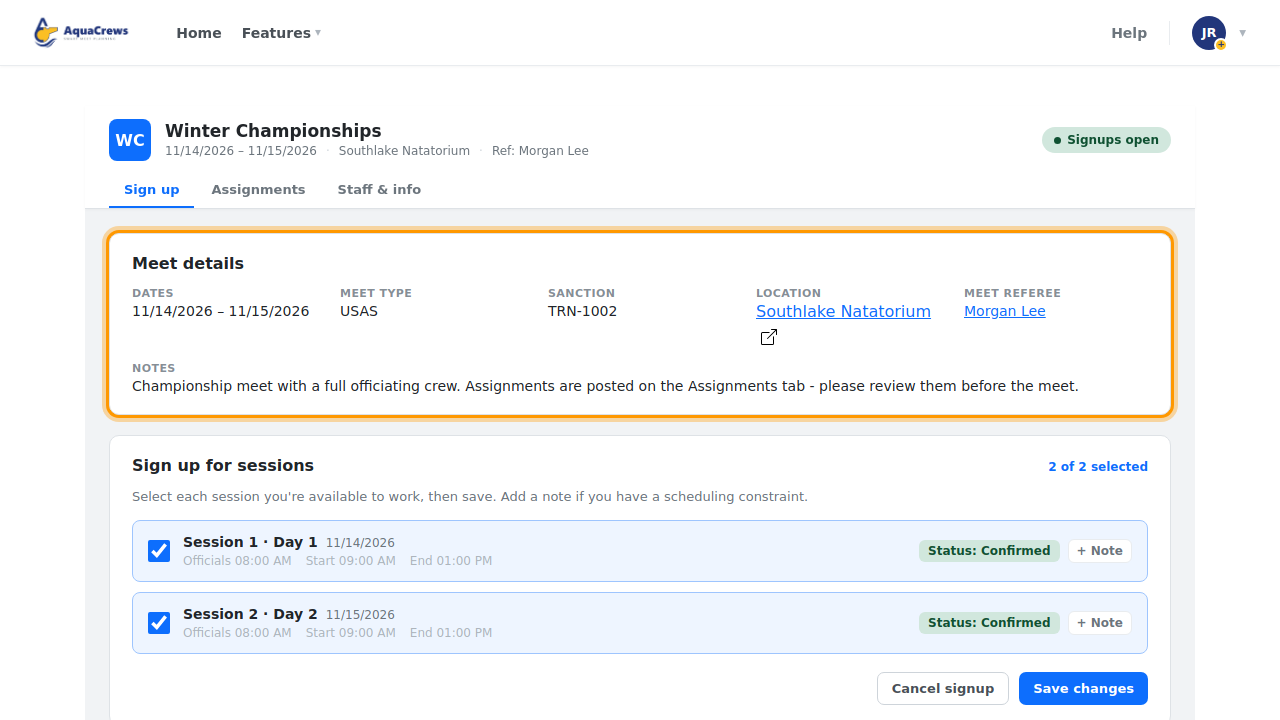
Meet details has the meet type, sanction number, location, and notes from the meet referee.

Click to see a larger version -
Click the location for directions, or the meet referee's name to email them.
-
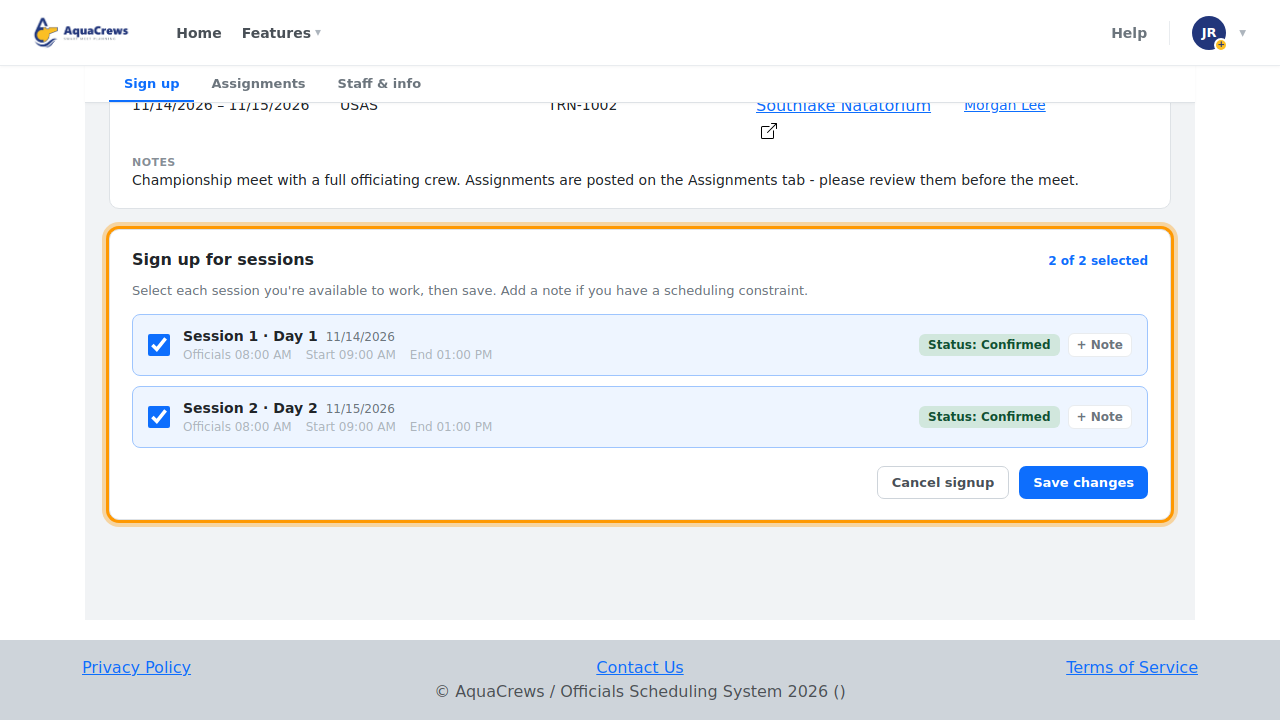
Sign up for sessions shows your status for each session.

Click to see a larger version -
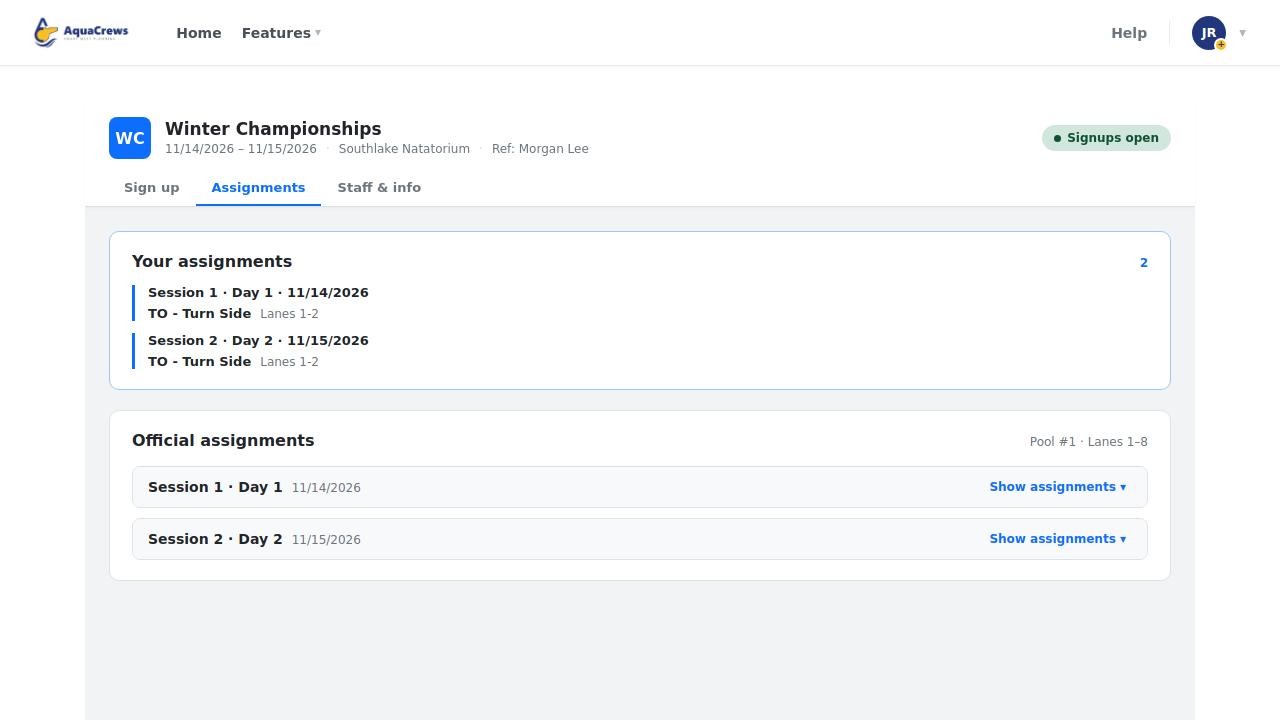
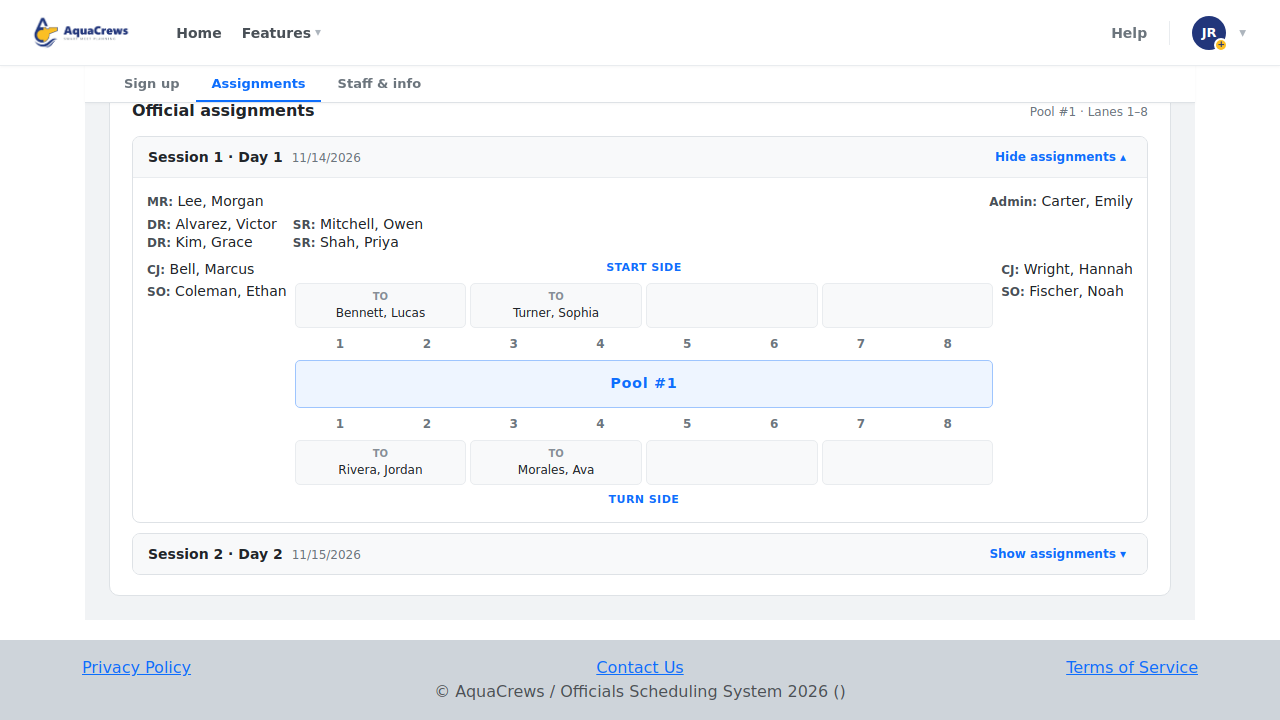
Click the Assignments tab to see your positions once they're published.

Click to see a larger version -
Click Show assignments to see the whole deck for a session.
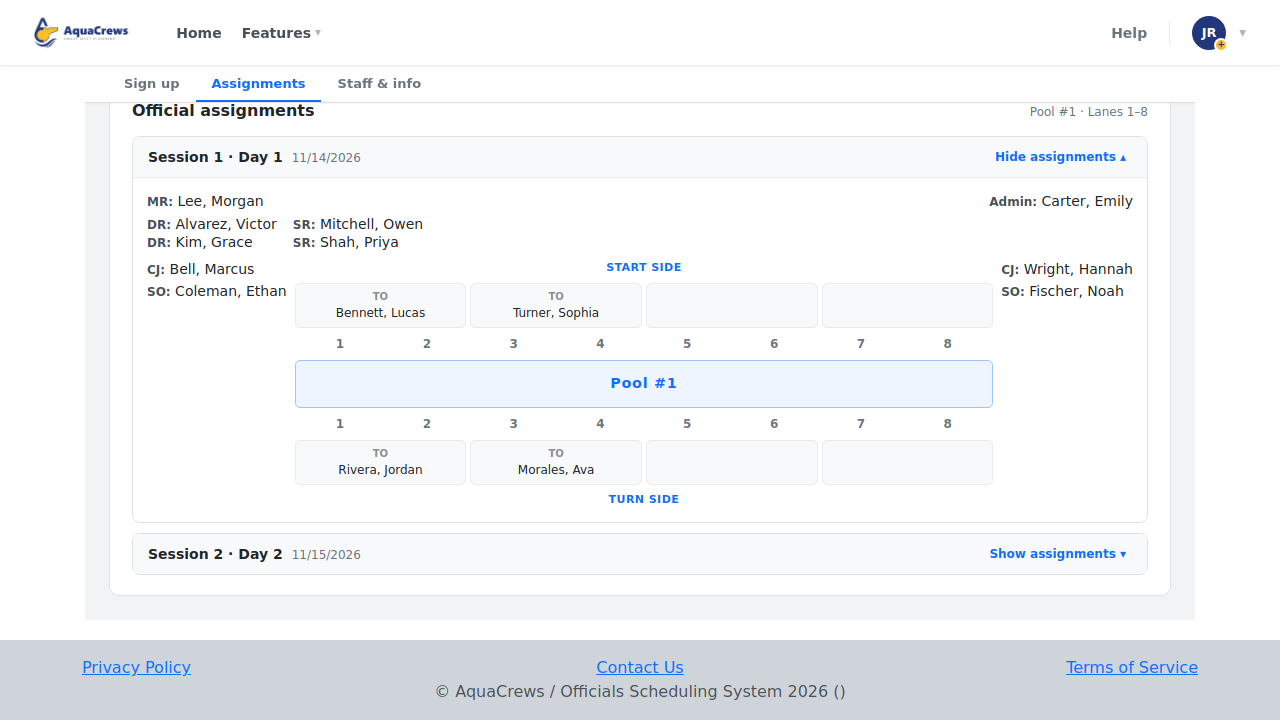
Click to see a larger version -
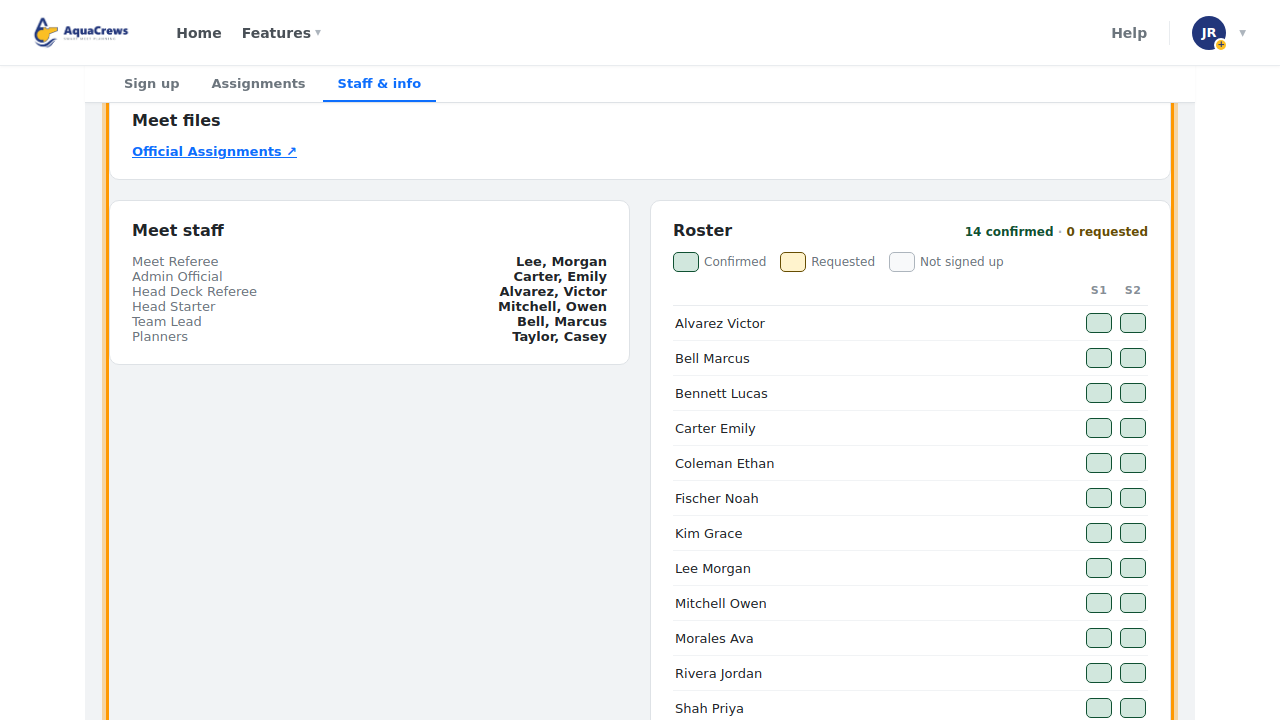
Click the Staff & info tab for meet files, the meet staff, and the roster.

Click to see a larger version
Tips & troubleshooting
- Assignments say "Not published"? The meet referee hasn't shared them yet - check back closer to the meet.
- Meet files can include the meet info packet, timelines, and the assignment sheet. Click a file to open it.
- The Roster shows who's confirmed or has asked for each session (S1, S2, ...).
Related: What your signup status means · Change or cancel your signup