
Change or cancel your signup
Add or drop sessions for a meet you've signed up for, or cancel your signup completely.
Before you start: you've signed up for the meet.
Note, you cannot change or cancel your signup if the meet ref has paused signups - contact the meet ref to make changes if needed.
Steps
-
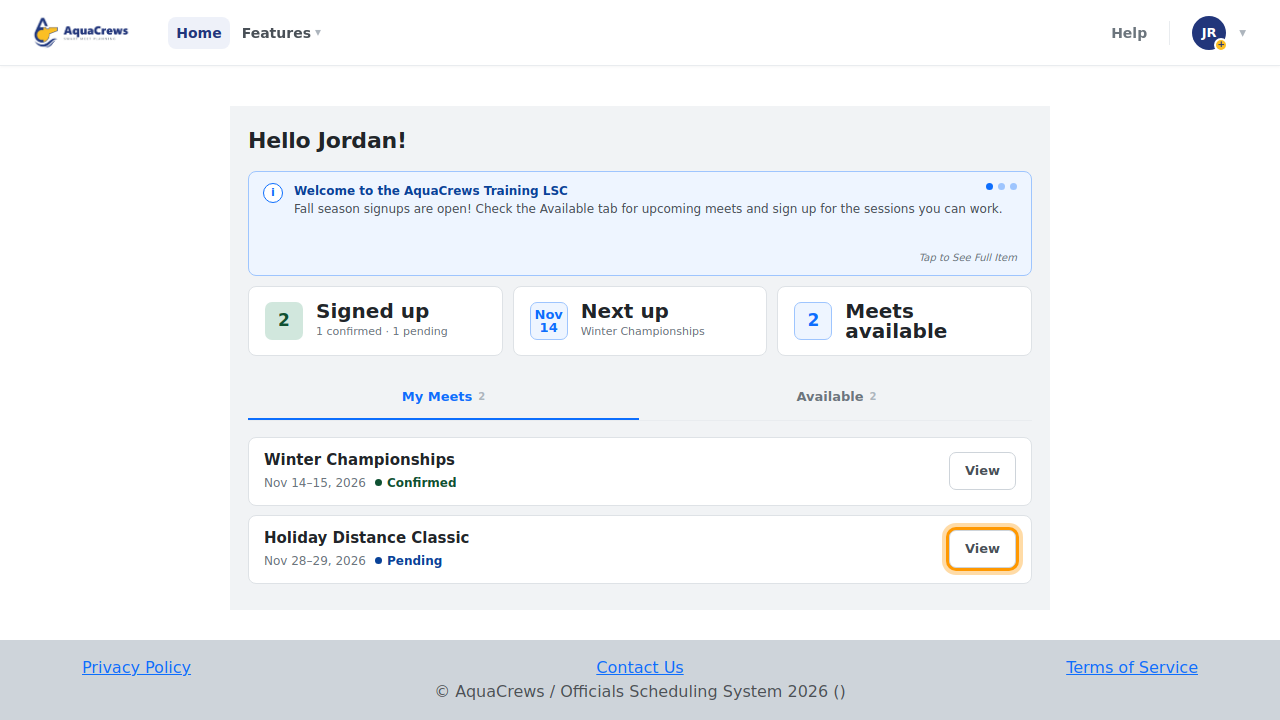
On the Home page, find the meet under My Meets and click View.

Click to see a larger version -
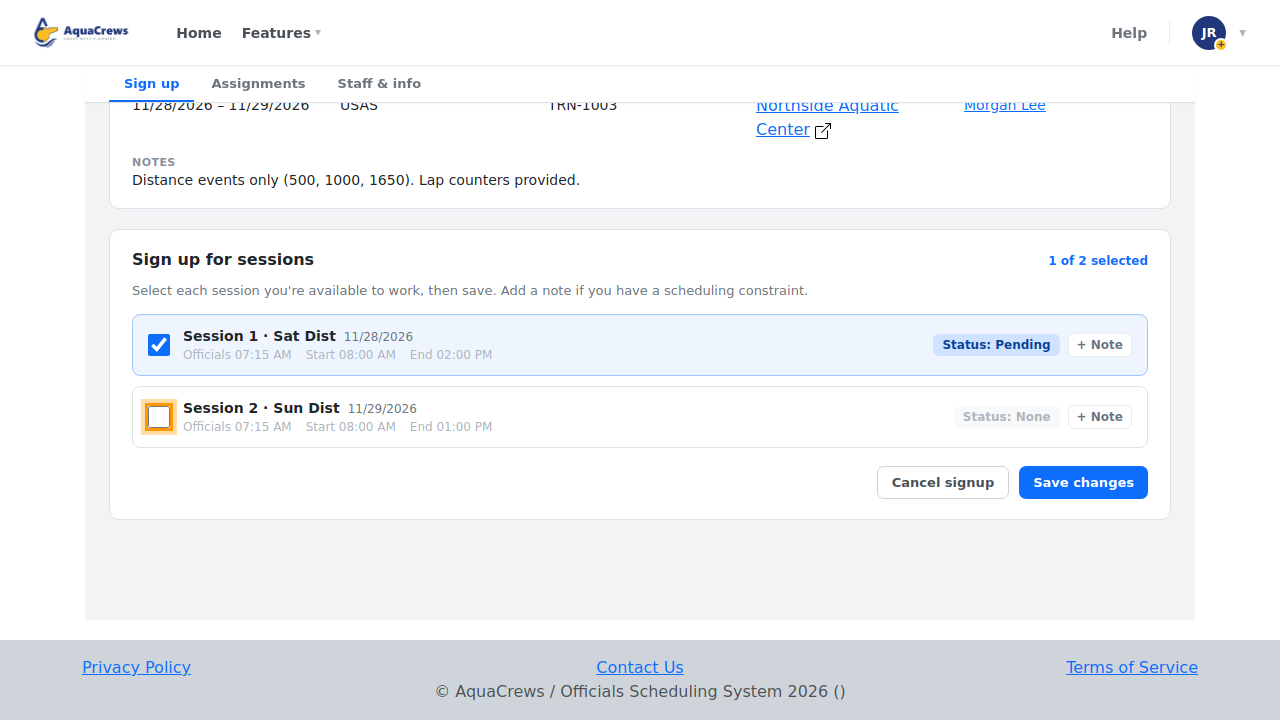
Under Sign up for sessions, check any session you want to add.
-
Uncheck any session you can no longer work.

Click to see a larger version -
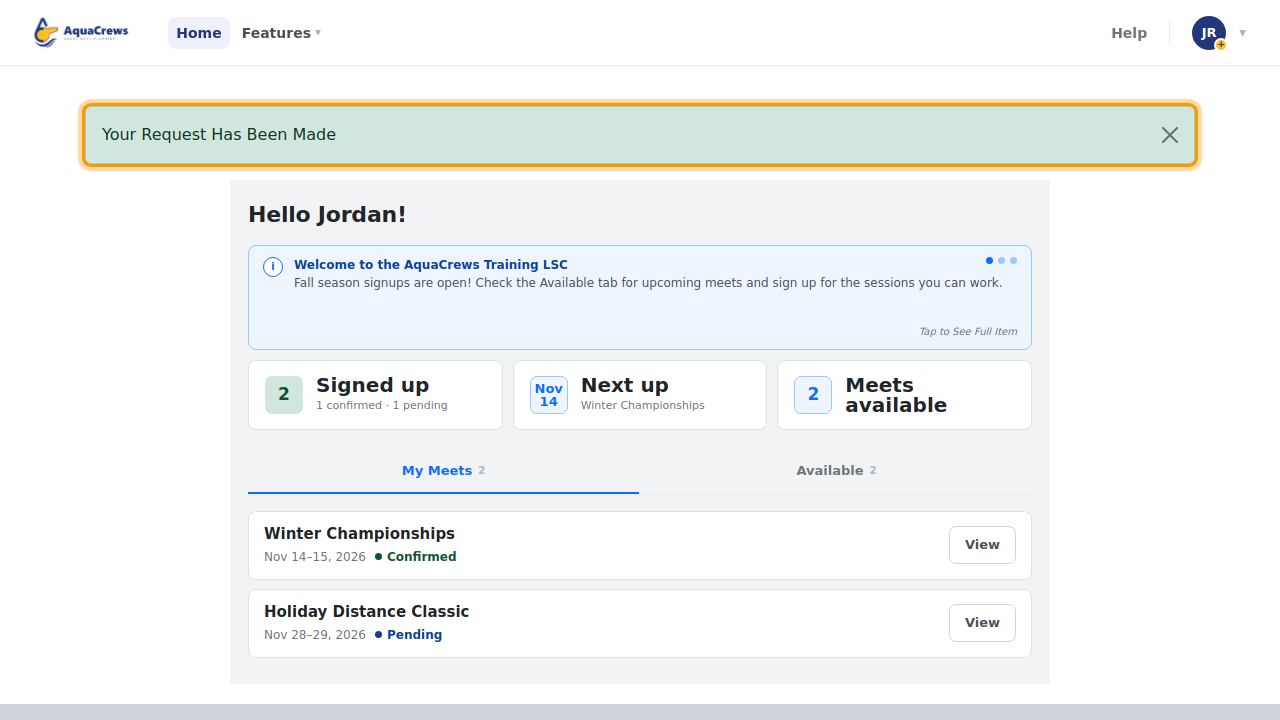
Click Save changes.
-
Your Request Has Been Made appears, and the meet referee is notified.

Click to see a larger version -
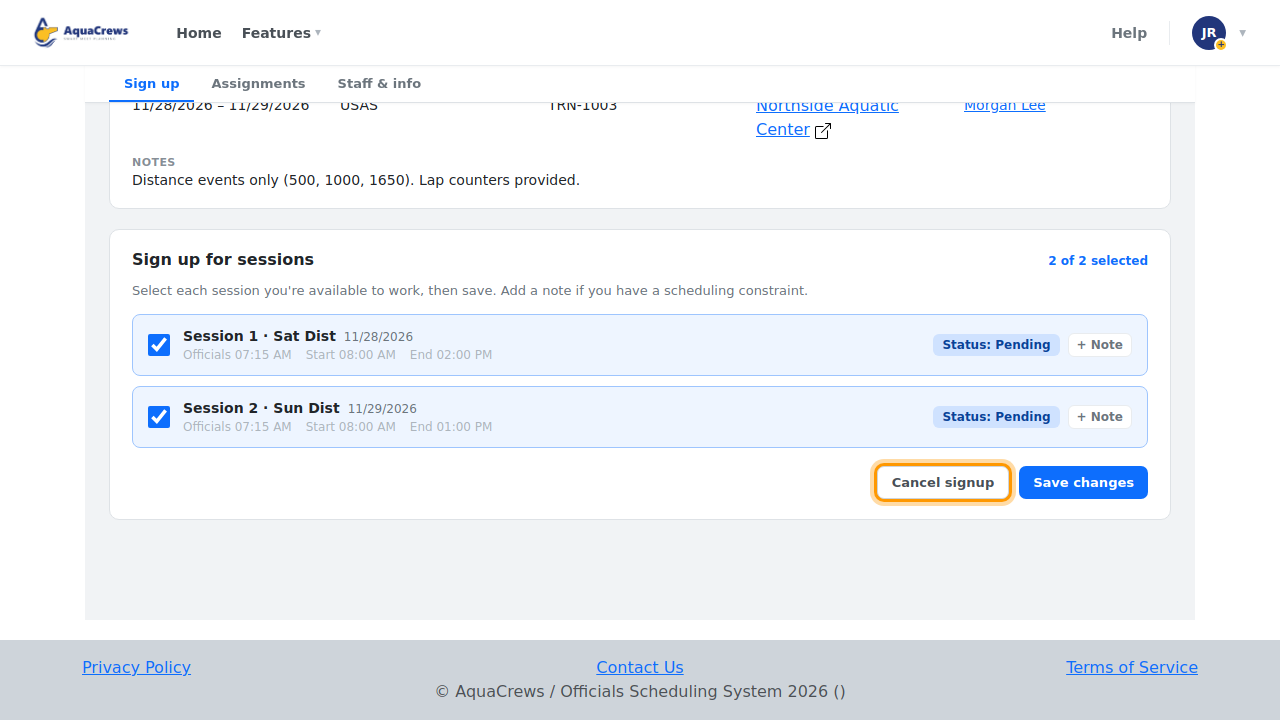
To drop out of the meet completely, click View on the meet again.
-
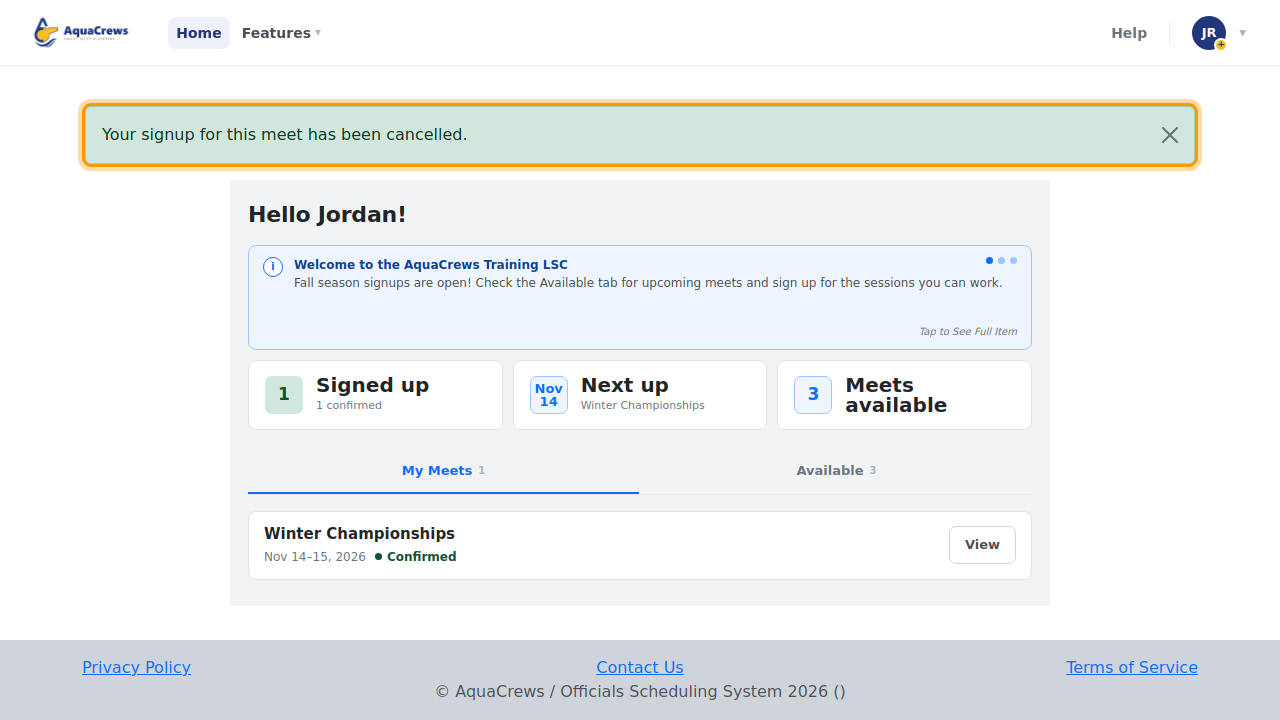
Click Cancel signup, then click OK to confirm.

Click to see a larger version -
The meet moves from My Meets back to the Available tab.

Click to see a larger version
What happens next
New sessions start as Pending until the meet referee answers. The meet referee is told about sessions you drop and about cancellations.
Tips & troubleshooting
- Dropping a confirmed session? The meet referee may be counting on you - let them know why, using + Note before you save, or by email (click their name on the meet page).
- Signups close when the meet referee pauses them or the meet starts. If you can't make changes, contact the meet referee.
Related: What your signup status means · The meet info page