
Sign up for a meet
Ask to work one or more sessions of a meet. The meet referee then confirms, waitlists, or declines each session you asked for.
Before you start: you're signed in and your account has been approved.
Steps
-
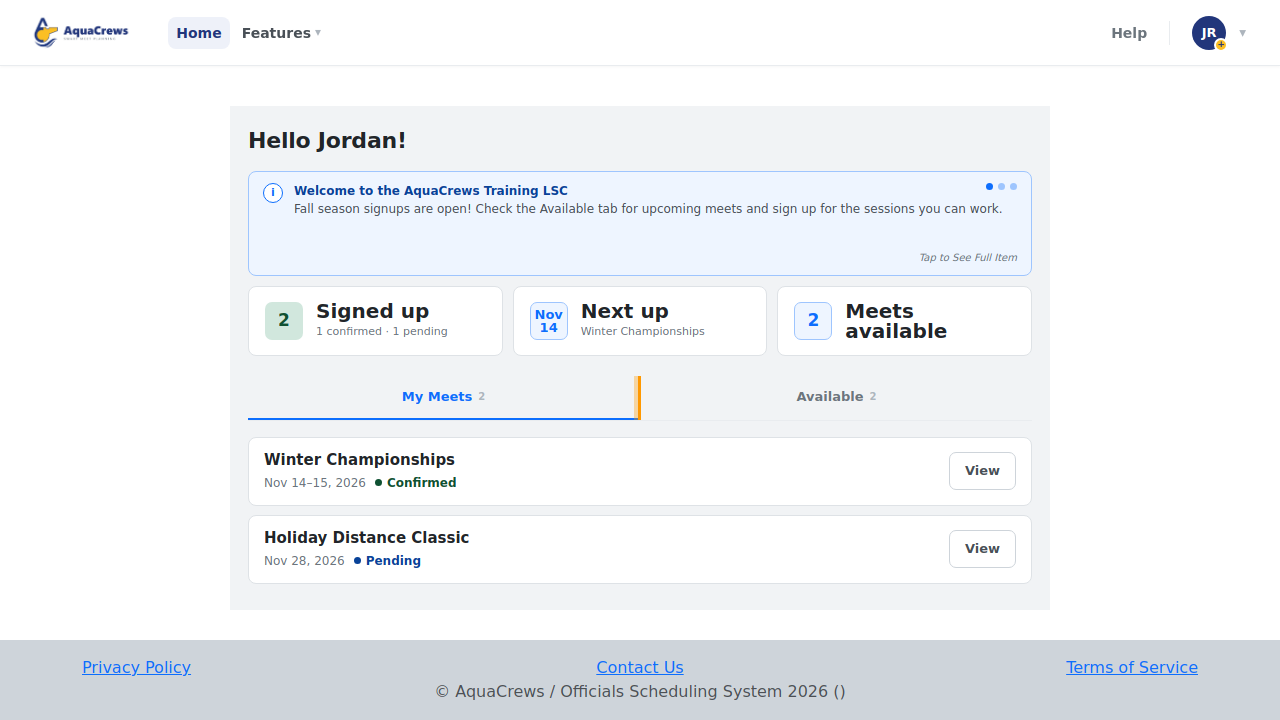
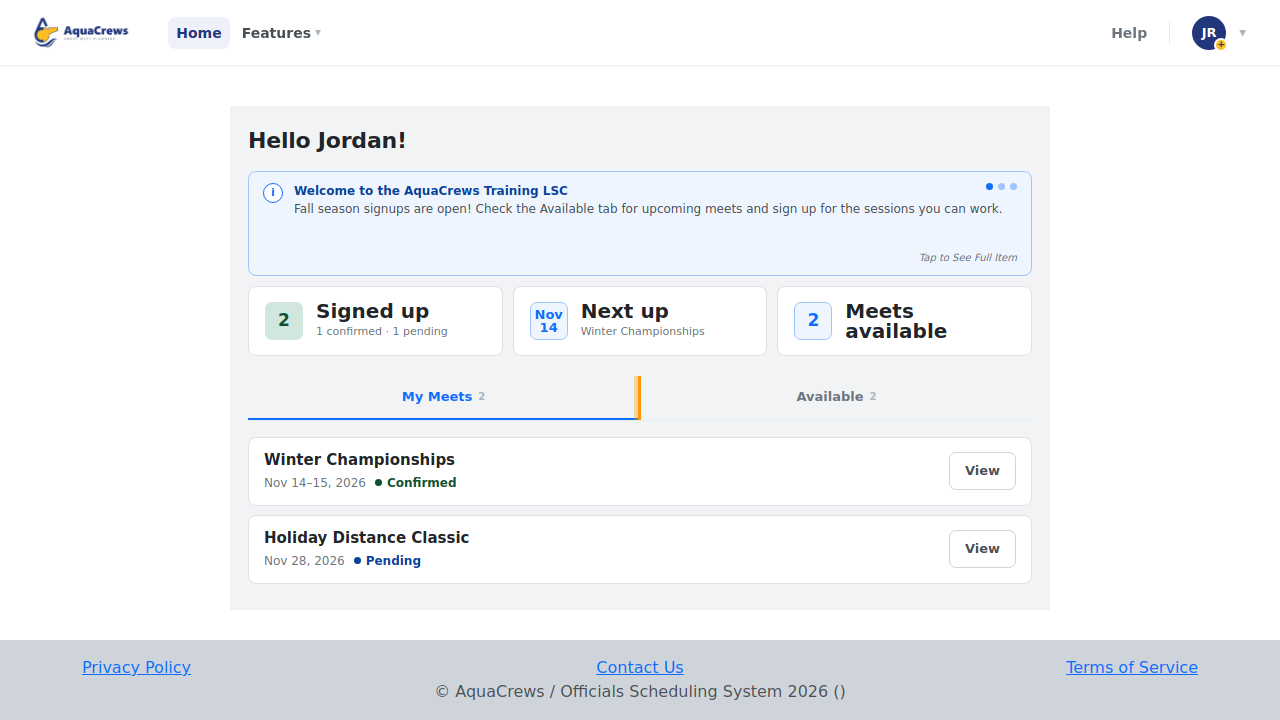
On the Home page, click the Available tab.
Click to see a larger version -
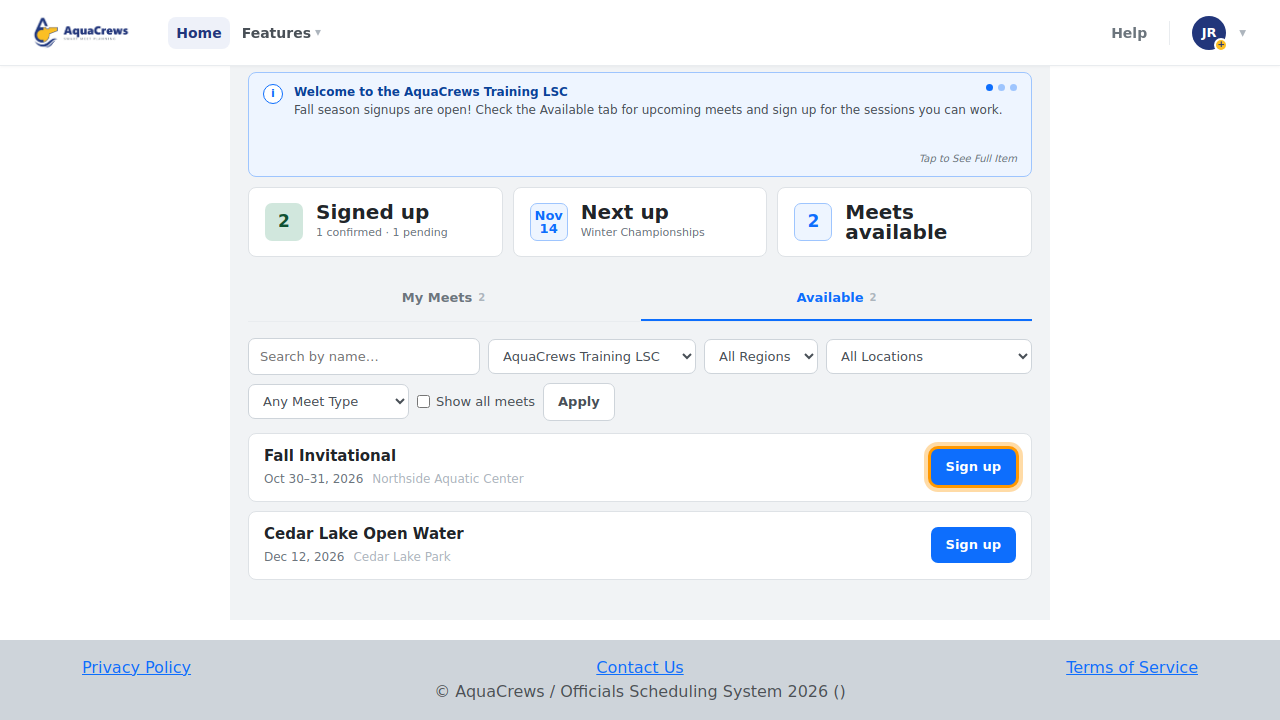
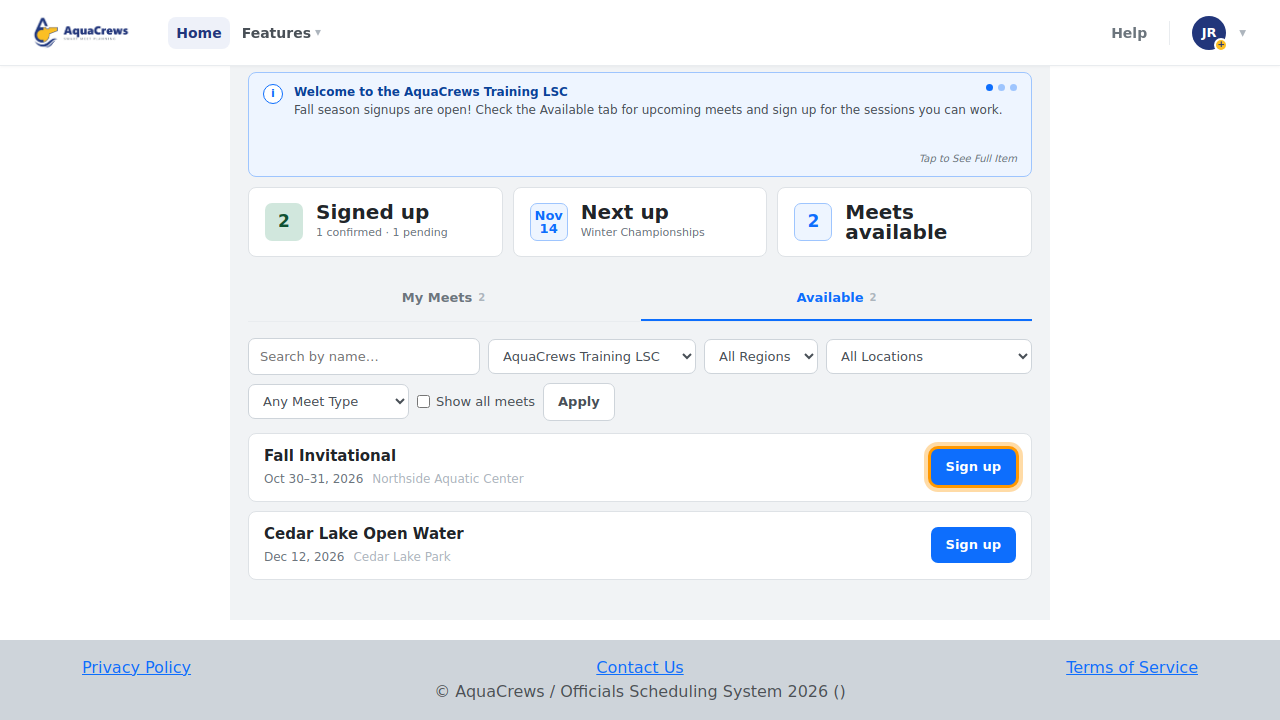
Find the meet and click Sign up. To narrow the list, see Find a meet.
Click to see a larger version -
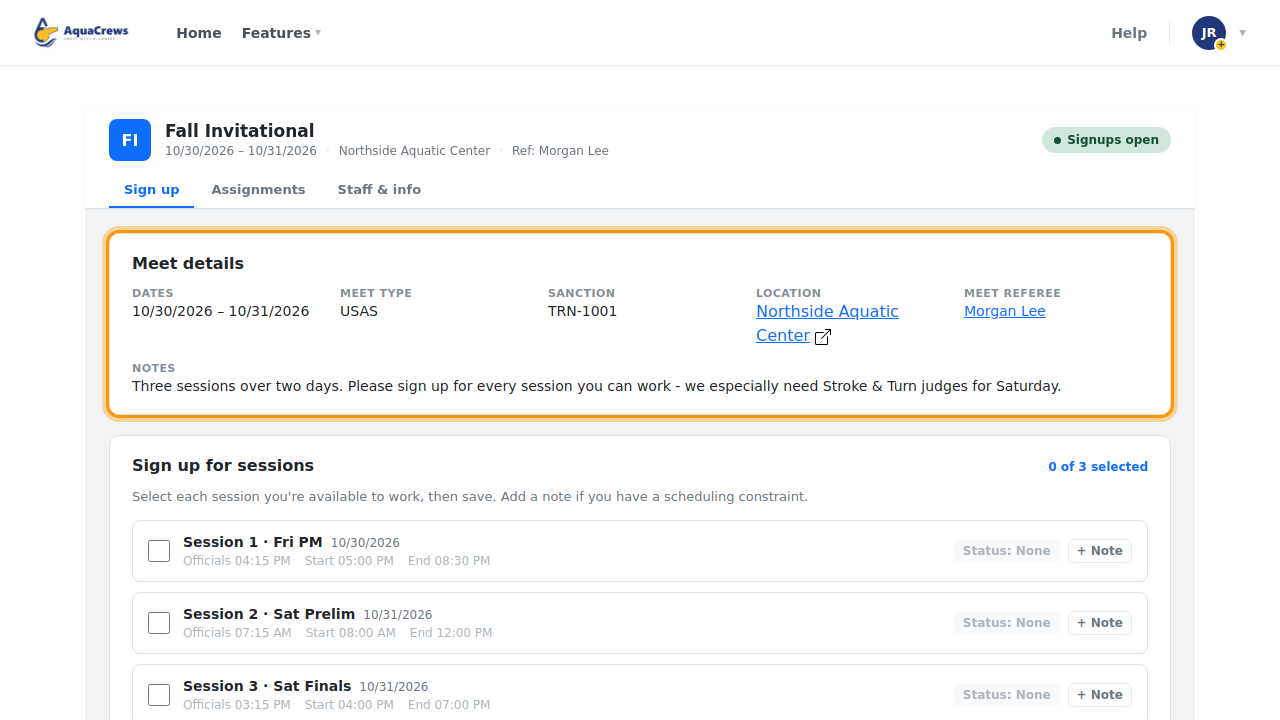
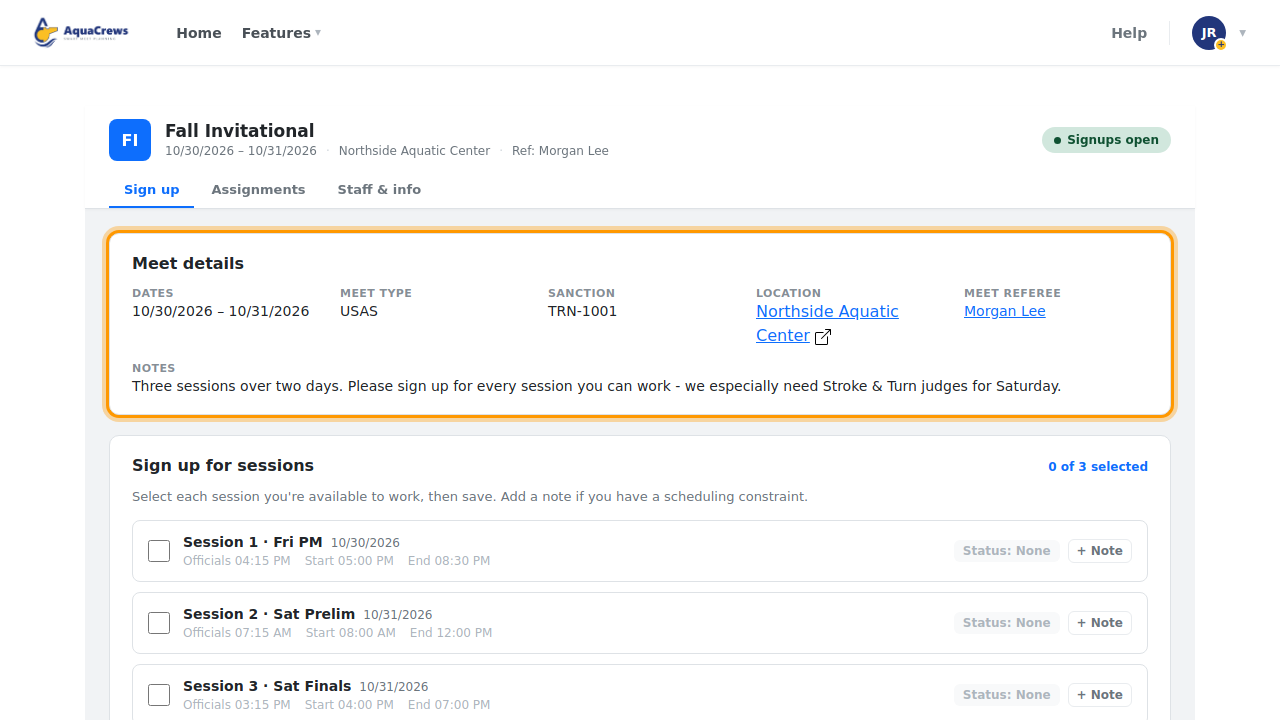
Review the Meet details: dates, location, meet referee, and any comments from the meet referee.
Click to see a larger version -
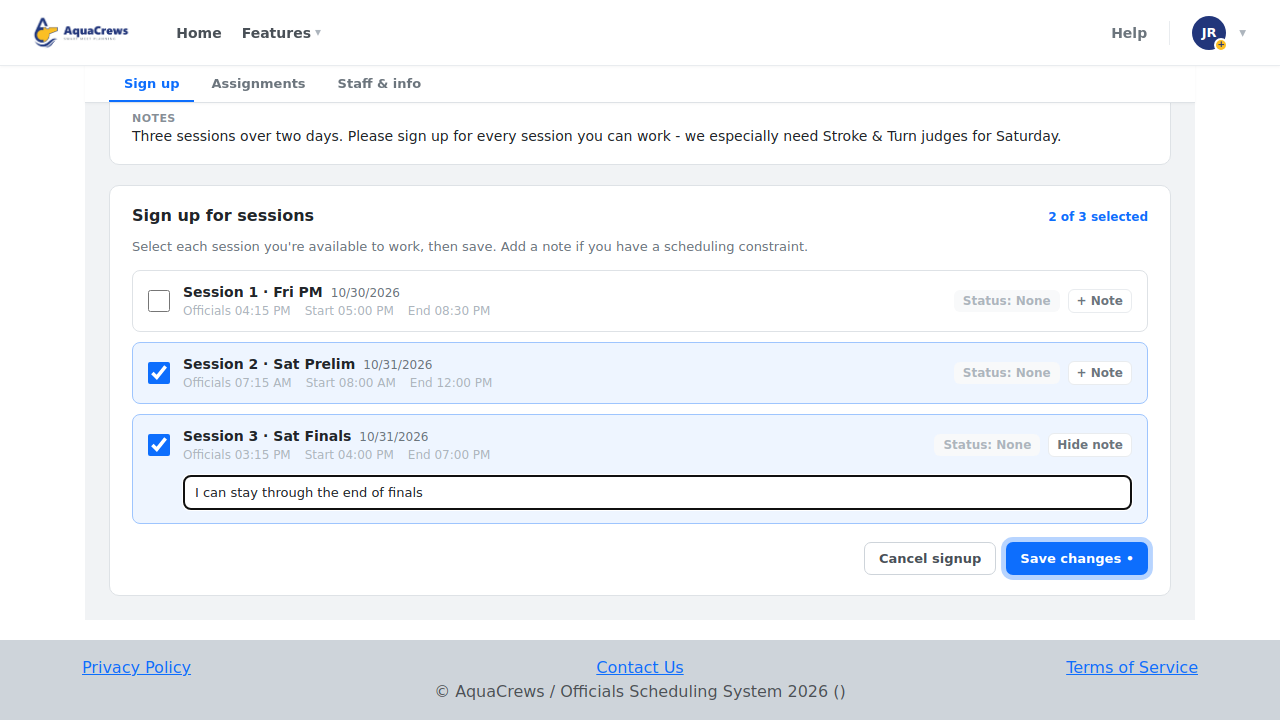
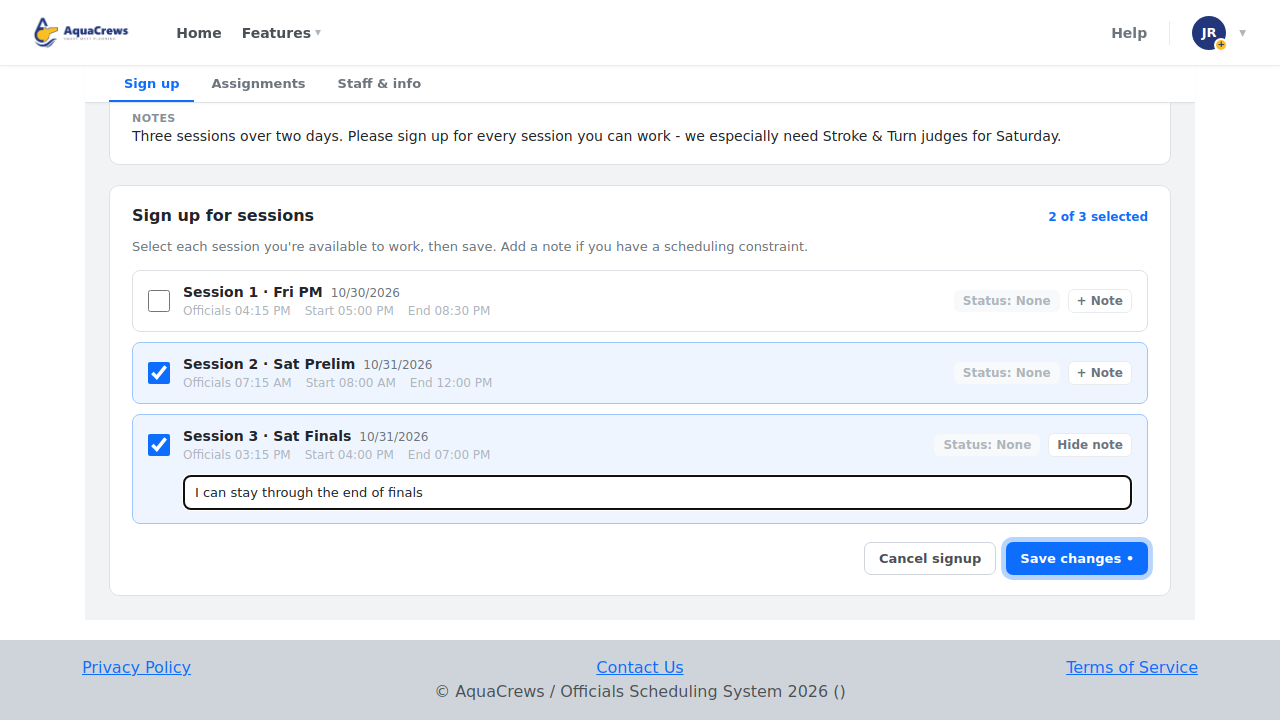
Under Sign up for sessions, check the box next to each session you want to work. The count above the list shows how many you've picked.
- Optional: click + Note on a session to leave a note for the meet referee, for example if you need to leave early.
-
Click Save changes.
Click to see a larger version
What happens next
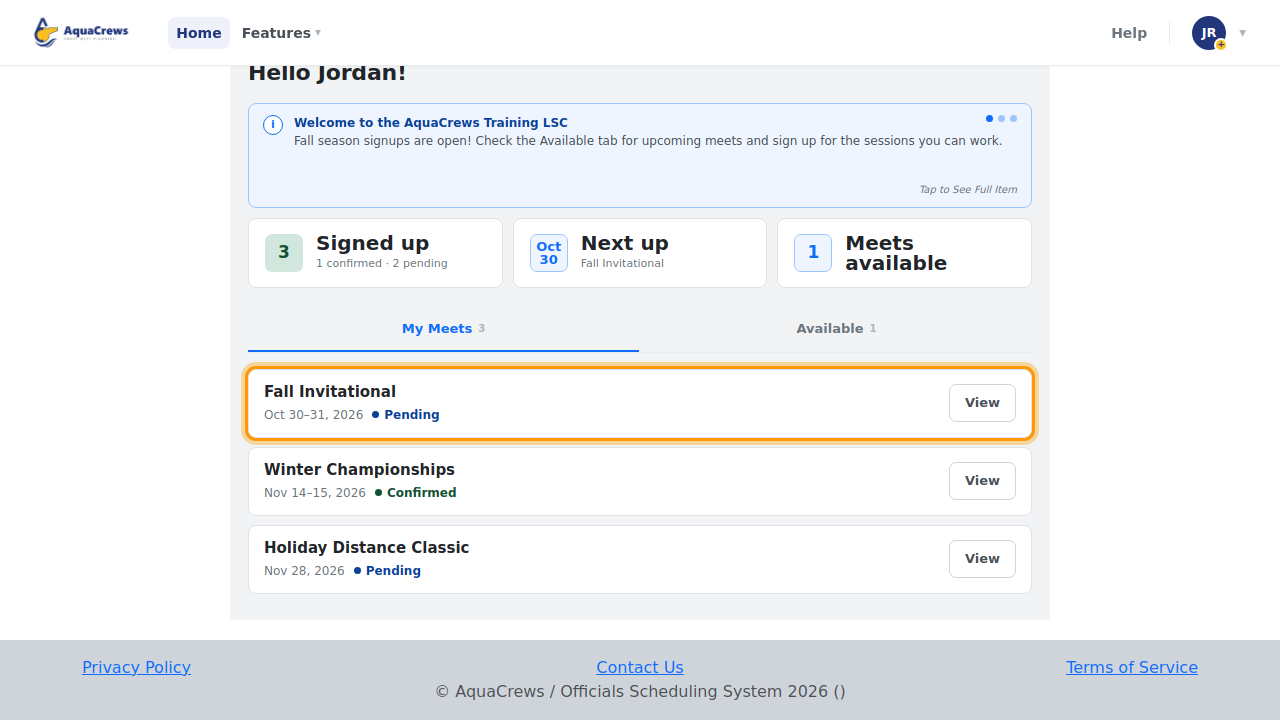
You're taken back to the Home page with the message Your Request Has Been Made. The meet moves to your My Meets tab with the status Pending until the meet referee answers. You'll get an email when your status changes, if you have status notifications turned on.
Tips & troubleshooting
- No Sign up button, only View? Signups for that meet are paused or closed.
- Want to add or drop sessions later? See Change or cancel your signup.
- What do Pending, Confirmed, Waitlisted, and Declined mean? See What your signup status means.
Related: Find a meet · Change or cancel your signup · The meet info page