
Find a meet
Use the filters on the Available tab to find meets to work - by name, LSC, region, pool, or type of meet.
Before you start: you're signed in.
Steps
-
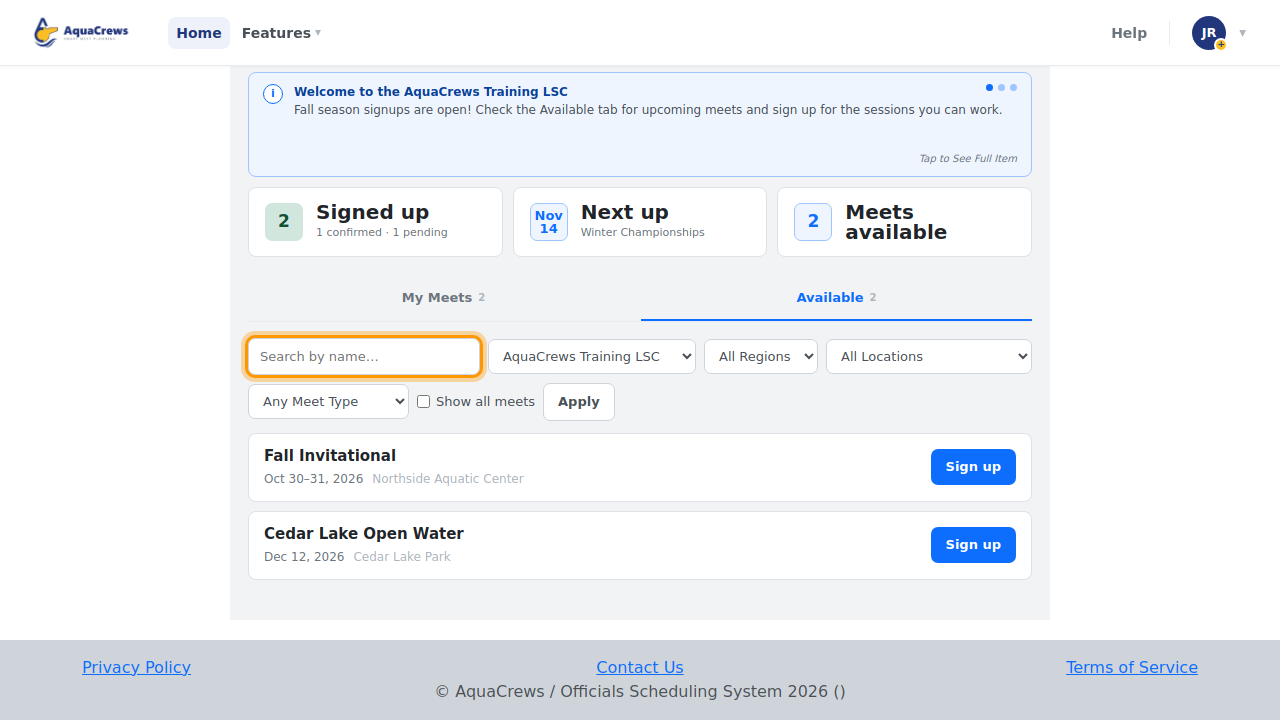
On the Home page, click the Available tab.

Click to see a larger version -
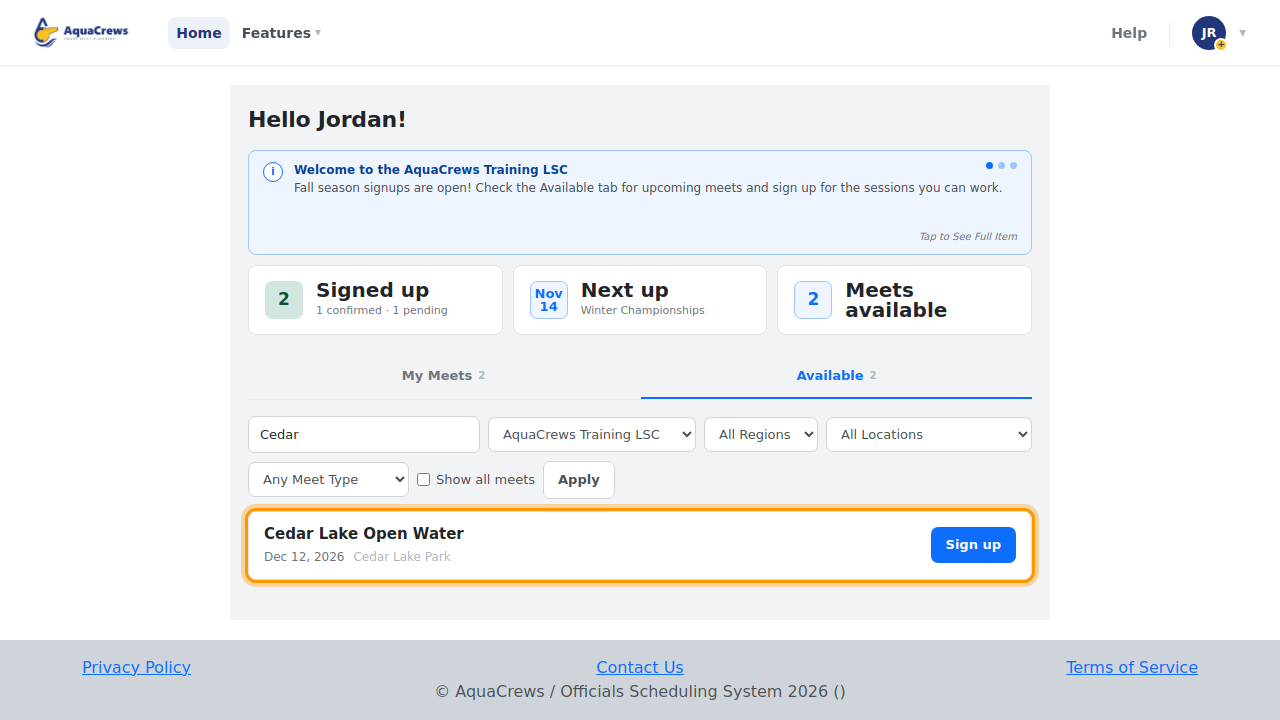
To search by name, type part of the meet name in Search by name.
-
Click Apply.

Click to see a larger version -
Clear the name to see all meets again.
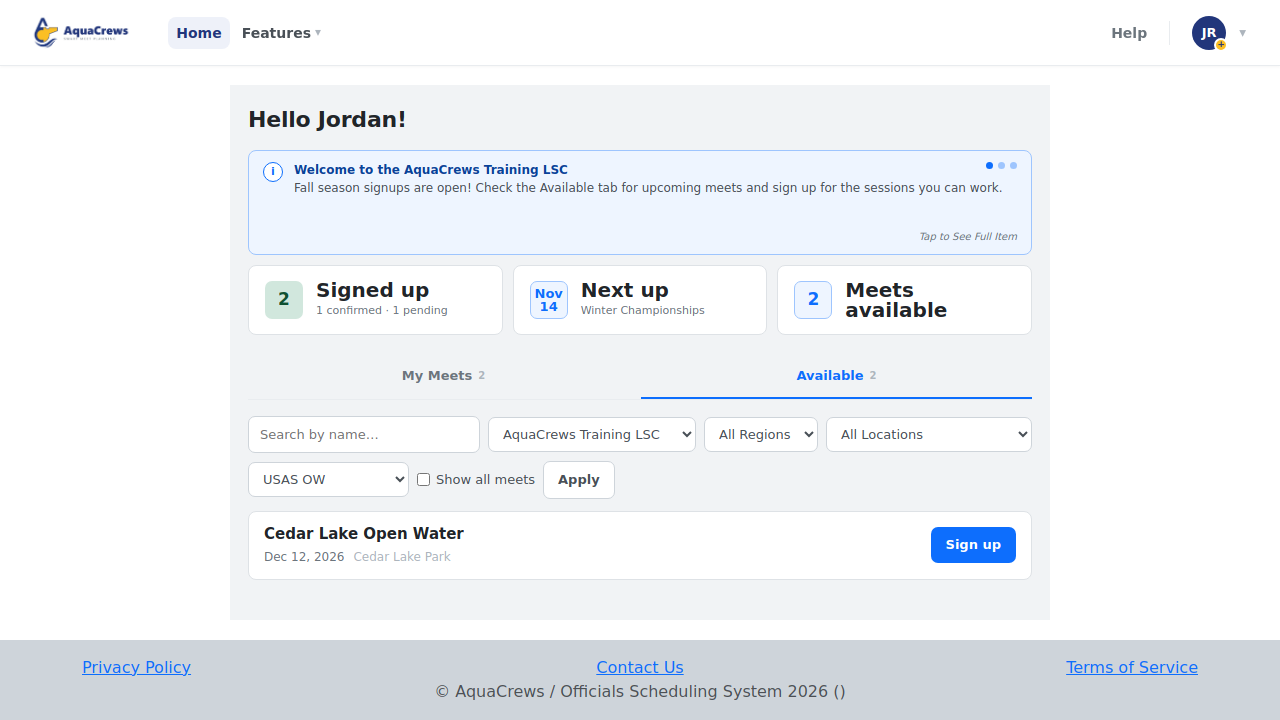
- To narrow the list, choose an LSC, Region, or Location (pool).
- Choose a Meet Type, for example USAS OW (open water).
-
Click Apply - only meets that match every filter are listed.

Click to see a larger version -
Check Show all meets to include meets you've already signed up for.
Meet types
| Filter | Meaning |
|---|---|
| USAS | USA Swimming |
| NTV / UIL | High school (NTV, UIL) |
| BP | Block party |
| NCAA | College |
| USMS | US Masters |
| USAS OW / USMS OW / USAS & USMS OW | Open water |
Tips & troubleshooting
- Meets are listed in date order, soonest first. Use the page buttons at the bottom when there are many meets.
- Don't see a meet you expected? Check that Show all meets is checked if you've already signed up, and that the LSC and region filters aren't hiding it.
- To start with your favorite filters every time, see Set default meet filters.
Related: Sign up for a meet · Walkthrough: signing up for a meet