
Notification preferences
Turn on the emails you want from AquaCrews - for example, when a new meet is posted or a meet referee confirms you for a session - and turn off the ones you don't.
Before you start: you're signed in.
Steps
- Click your name in the top-right corner.
- Click Profile.
-
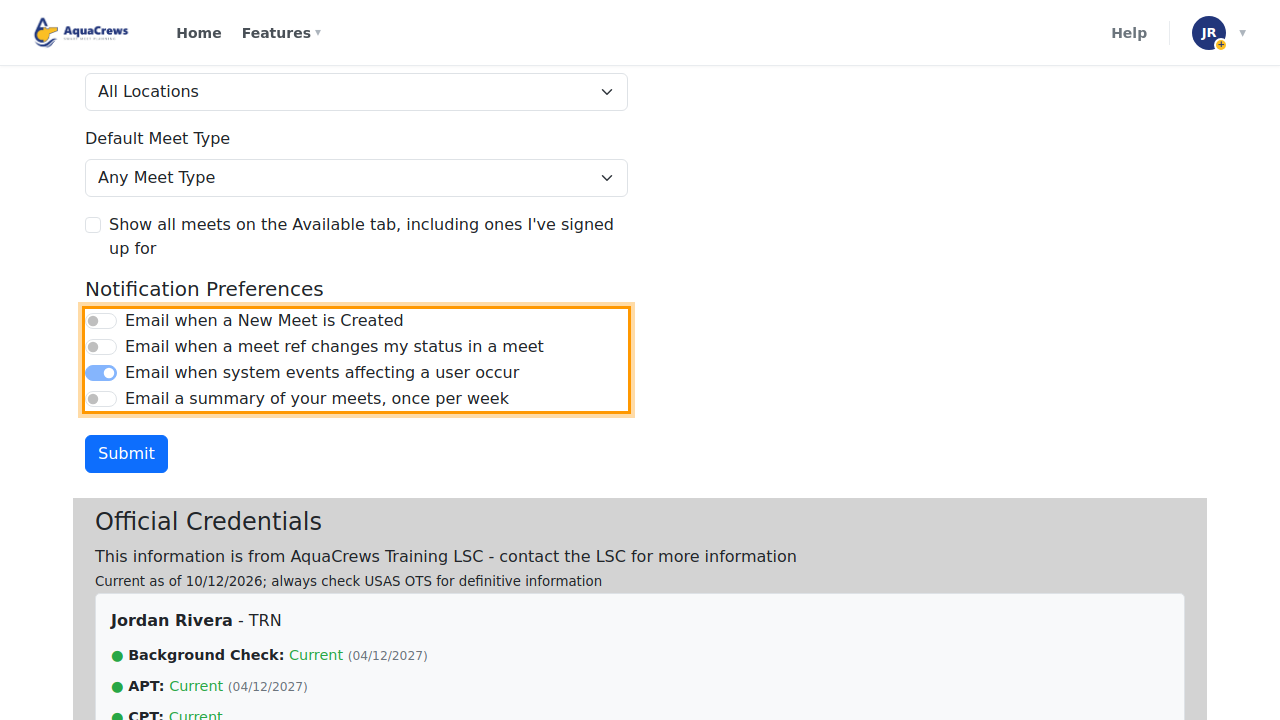
Scroll down to Notification Preferences.

Click to see a larger version -
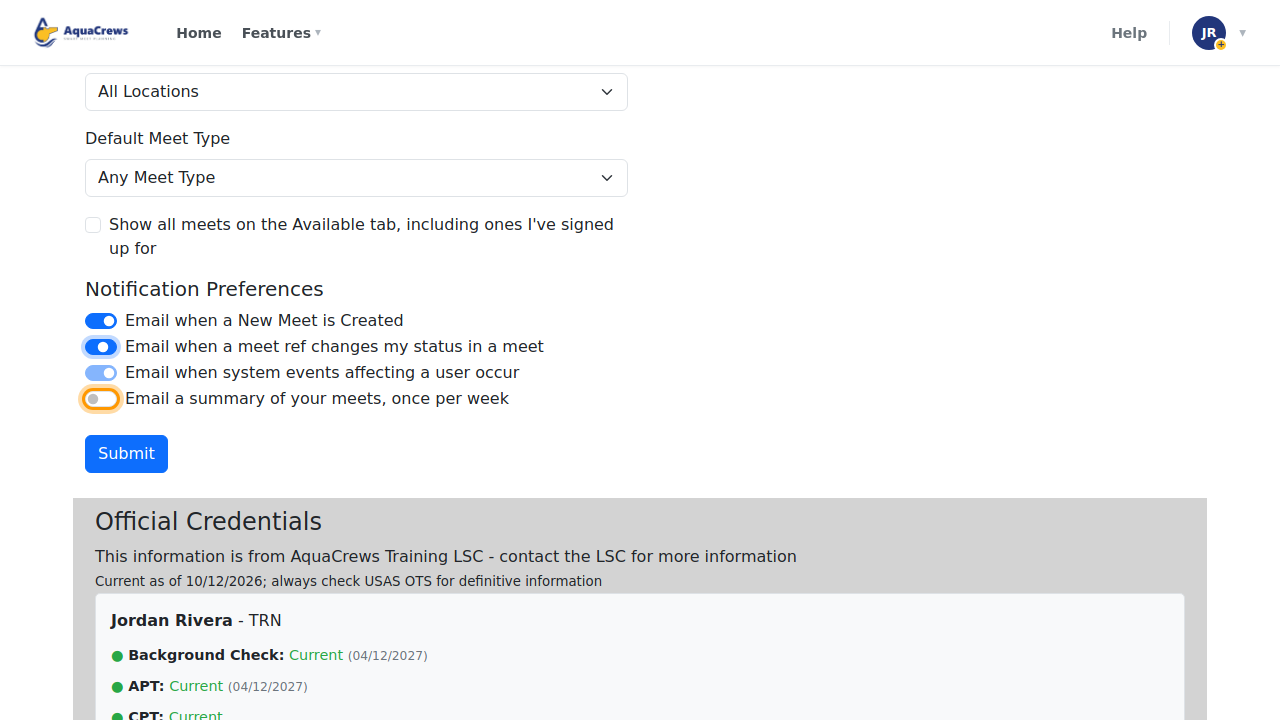
Turn on Email when a New Meet is Created to hear about new meets in your LSC.
- Turn on Email when a meet ref changes my status in a meet to hear when you're confirmed, waitlisted, or declined.
-
Turn on Email a summary of your meets, once per week for a weekly reminder of your upcoming meets.

Click to see a larger version -
Click Submit at the bottom of the page.
- User Profile Updated! appears at the top of the page.
What each notification does
| Notification | Who sees it | What it sends |
|---|---|---|
| Email when a New Meet is Created | Everyone | A new meet is posted in your LSC |
| Email when a meet ref changes my status in a meet | Everyone | Your status for a session changes (Confirmed, Waitlisted, Declined) |
| Email when system events affecting a user occur | Everyone (always on) | Account events, such as your account being approved or your password changing |
| Email a summary of your meets, once per week | Everyone | A weekly list of your upcoming meets and your status |
| Email when an official signs up for your meet | Meet referees | Someone signs up for a meet you run |
| Email daily summary of signups for your meet | Meet referees | One email a day with the signups for your meets |
| Email of New Account Creation | LSC administrators | A new account is waiting for approval |
| Email when a file is uploaded to the org repository | LSC administrators | A file is waiting for approval |
| Email when an official submits a Request a Location form | LSC administrators | A location request is waiting for approval |
Tips & troubleshooting
- Not getting emails? Check your spam or junk folder, and add AquaCrews to your contacts.
- Email when system events affecting a user occur can't be turned off - these are important account messages.
- Messages that meet referees and LSC administrators send you directly aren't controlled by these switches.
Related: Update your profile · Set your region