
Create a meet
Add your meet to AquaCrews so officials in your LSC can see it and sign up for its sessions.
Before you start: you're signed in as a meet referee (or LSC administrator).
Steps
-
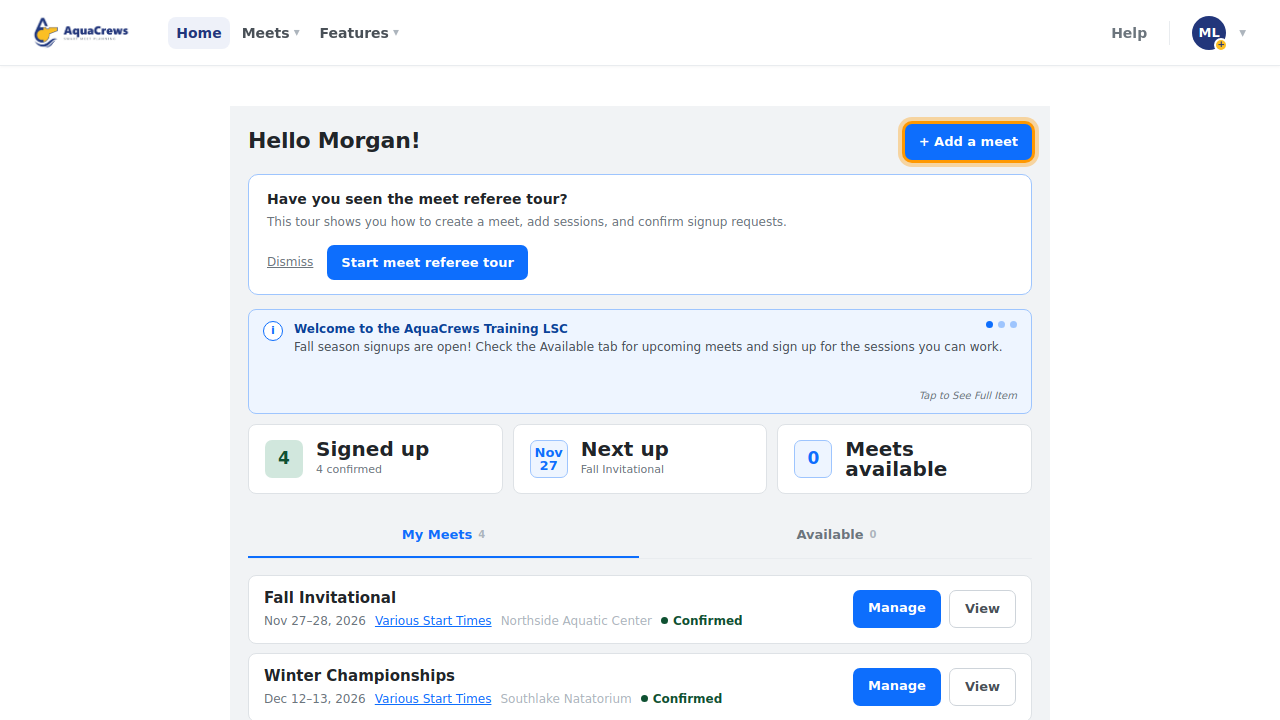
On the Home page, click + Add a meet. (Or click Meets > Create Meet.)

Click to see a larger version -
Enter the Meet Name, Meet Type, and Sanction ID.
- Choose the Meet Location (pool) - the meet's region is set automatically from the pool. Pool missing? Click Request a new location - you can keep filling out the meet while your LSC administrator reviews it.
-
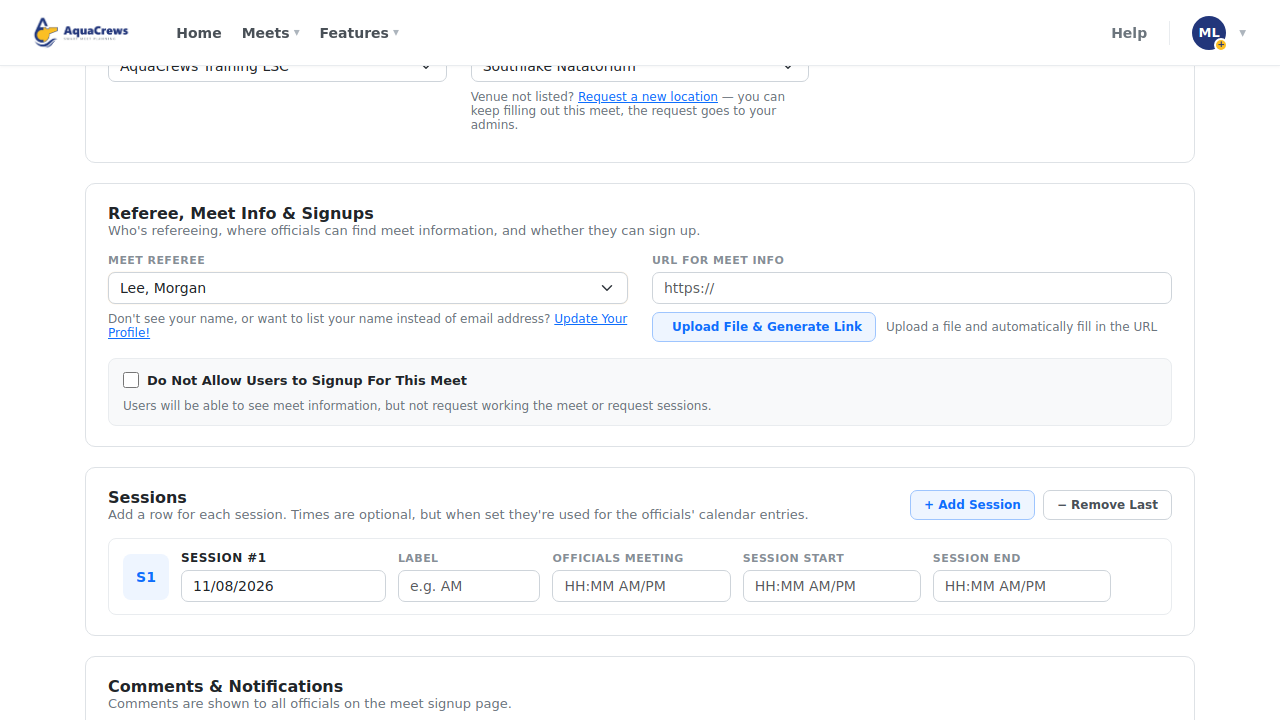
Check the Meet Referee - it's you unless you choose someone else.

Click to see a larger version -
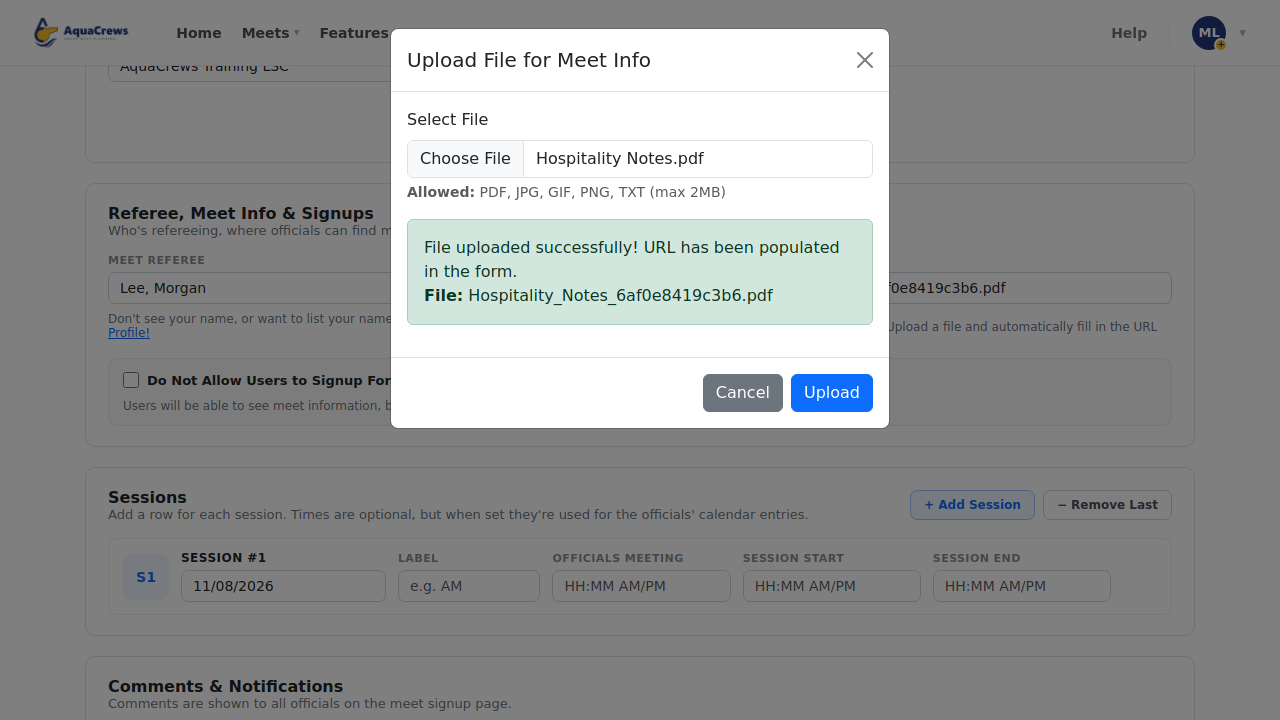
For the meet info (the meet announcement or packet), click Upload File & Generate Link and choose the file. Or paste a link into URL for Meet Info.

Click to see a larger version -
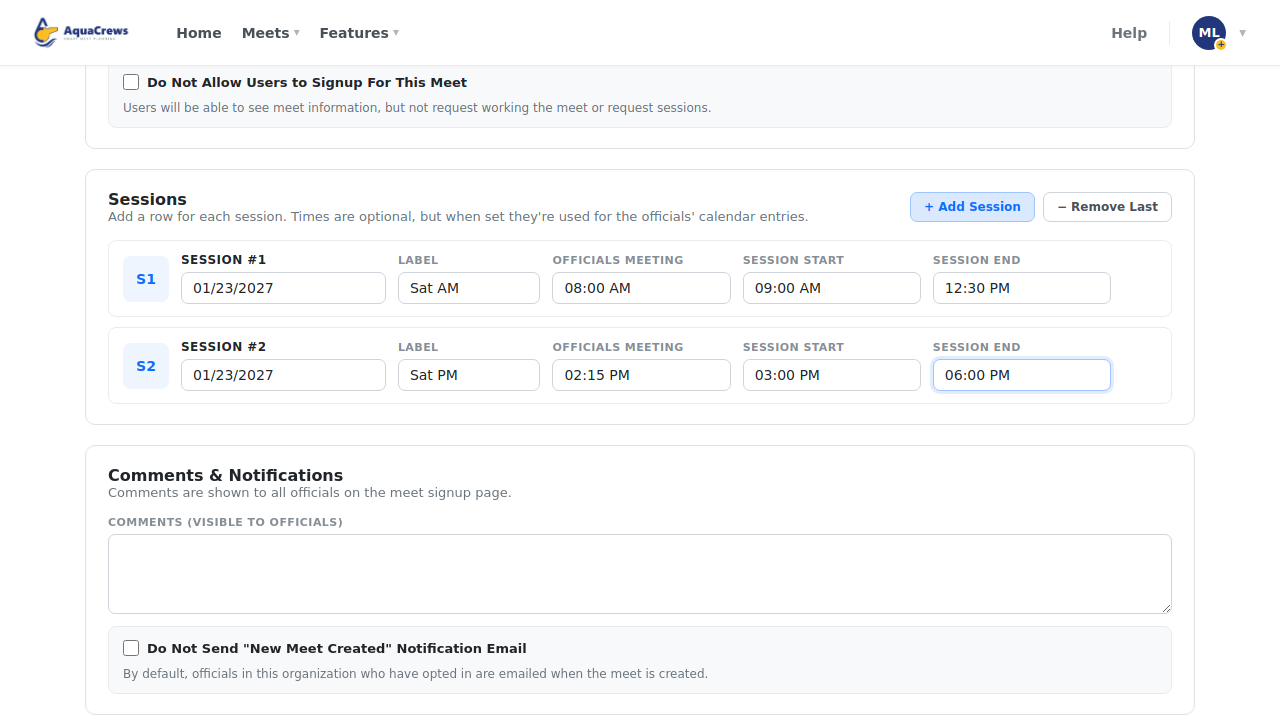
Under Sessions, enter the first session's date, Label (up to 10 characters, such as "Sat AM"), Officials Meeting, Session Start, and Session End times.
-
Click + Add Session to add another session, and enter its date, label, and times.

Click to see a larger version -
Add Comments for officials, like parking or what to wear.
- Click Create.
-
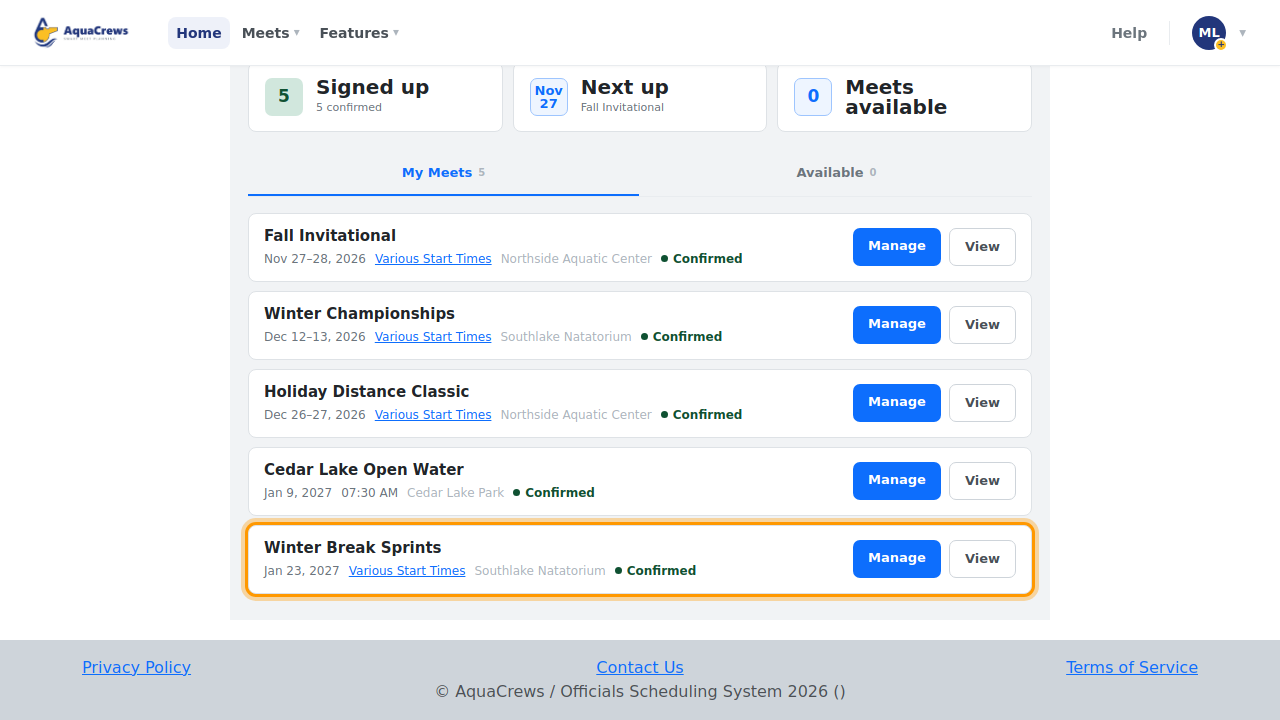
The new meet is listed on your Home page, and officials can sign up.

Click to see a larger version
What happens next
Officials who turned on Email when a New Meet is Created are emailed about the meet. You're emailed as officials sign up (if you've turned that on) - see Approve, waitlist, or decline officials.
Tips & troubleshooting
- Type times as HH:MM AM/PM, for example
09:00 AM. Times are optional, but when they're set they're used for the officials' calendar entries. - Click − Remove Last to remove the last session row.
- Check Do Not Allow Users to Signup For This Meet to post a meet that officials can see but not sign up for yet. You can also pause signups later.
- Check Do Not Send "New Meet Created" Notification Email if you don't want officials emailed about it.
Related: Edit or delete a meet · Share a meet · Walkthrough: create a meet and manage signups
/