
Report: Radio Assignments
A list of which officials get a radio in each session - by role, by person, or both.
Before you start: you're the meet's referee, an LSC administrator, or on the meet's staff.
Steps
- On the Home page, find the meet under My Meets and click Manage.
-
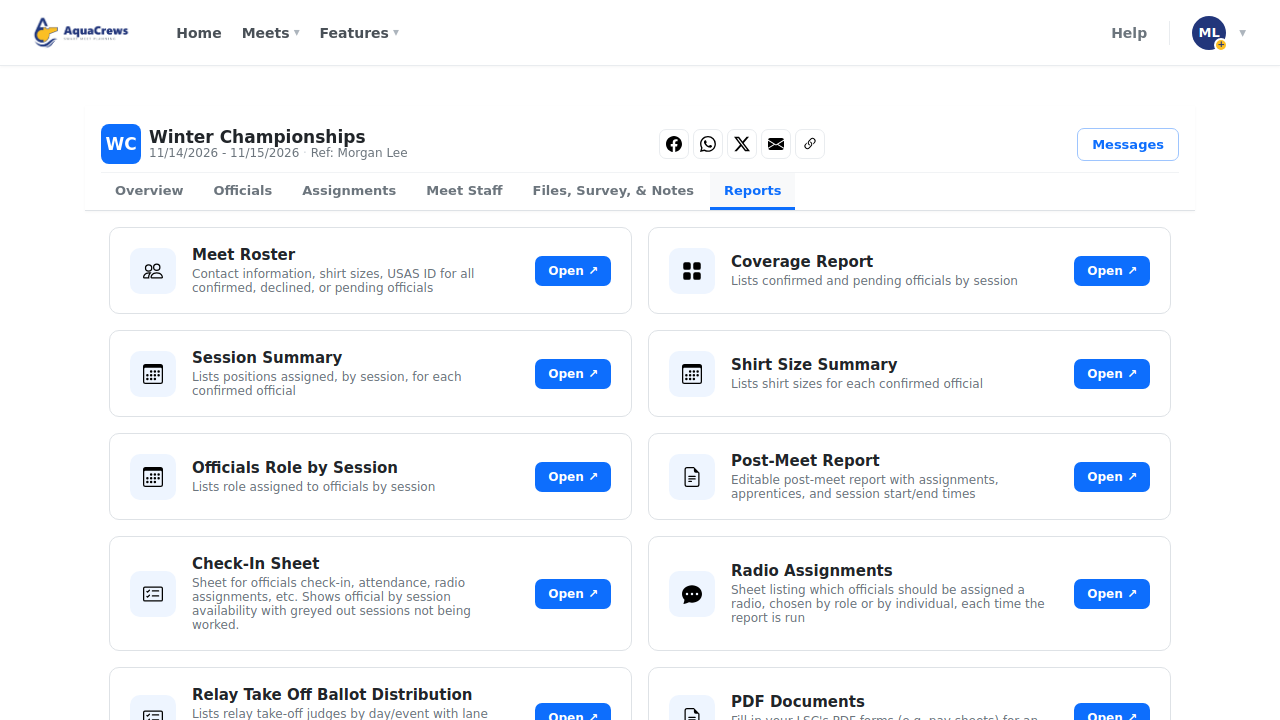
Click the Reports tab.
 Click to see a larger version
-
On Radio Assignments, click Open.
-
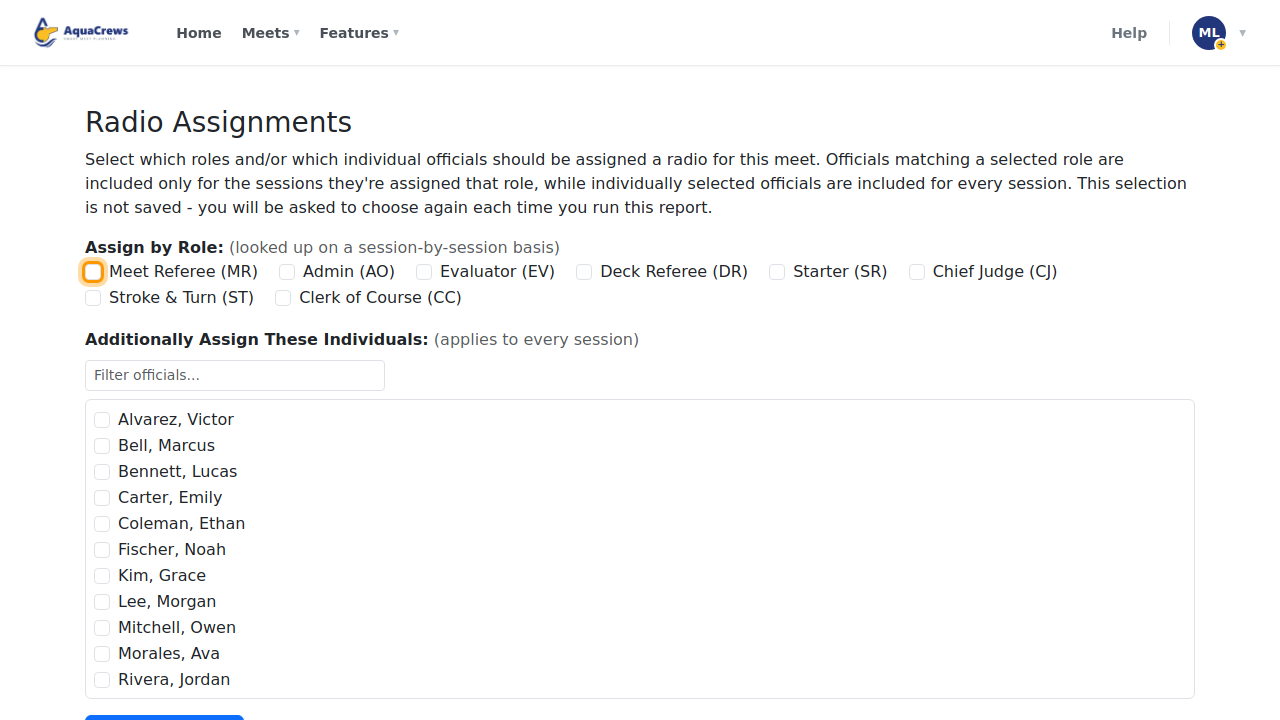
Under Assign by Role, check each role that needs a radio.
 Click to see a larger version
-
Optional: under Additionally Assign These Individuals, check officials who need a radio for every session.
- Click Generate Report.
-
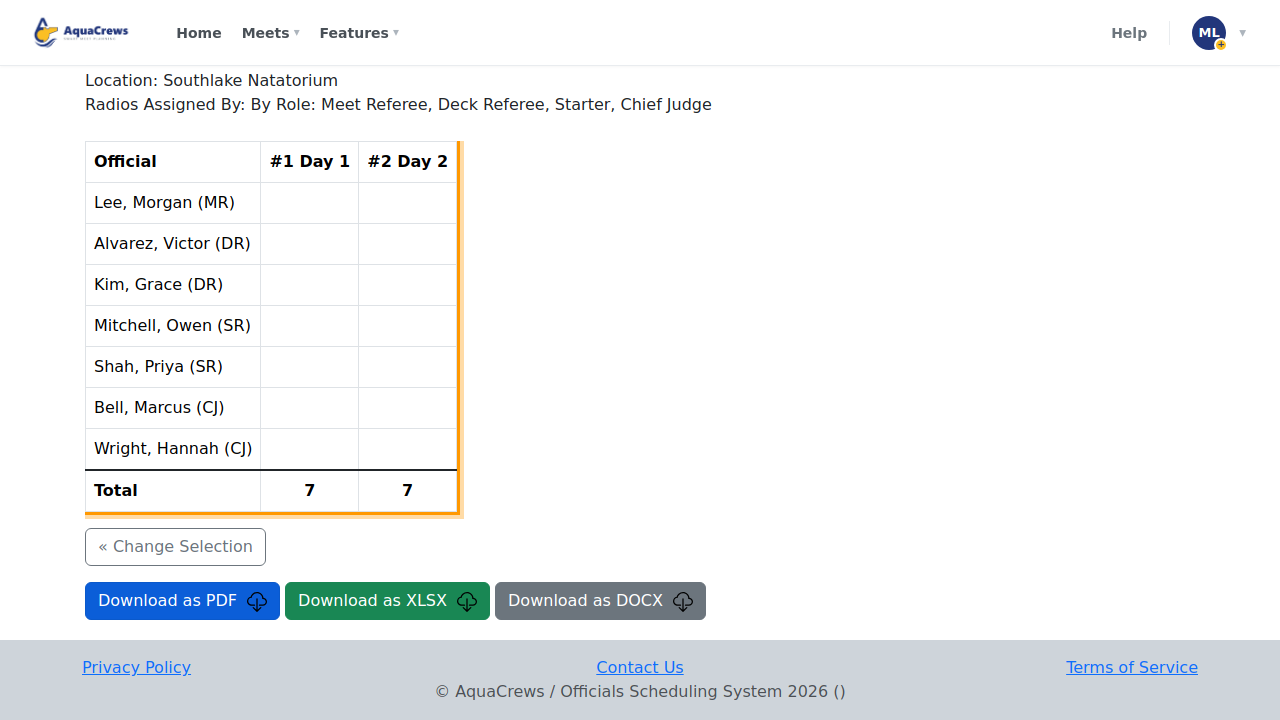
Each session lists who gets a radio - download it to print.
 Click to see a larger version
Tips
- Roles are looked up session by session, so an official only gets a radio in the sessions they work that role.
- Your choices aren't saved - click Change Selection to choose again.
Related: All reports · Build deck assignments