
Report: Coverage
Lists the confirmed and pending officials for each session, so you can see which sessions need more people.
Before you start: you're the meet's referee, an LSC administrator, or on the meet's staff.
Steps
- On the Home page, find the meet under My Meets and click Manage.
-
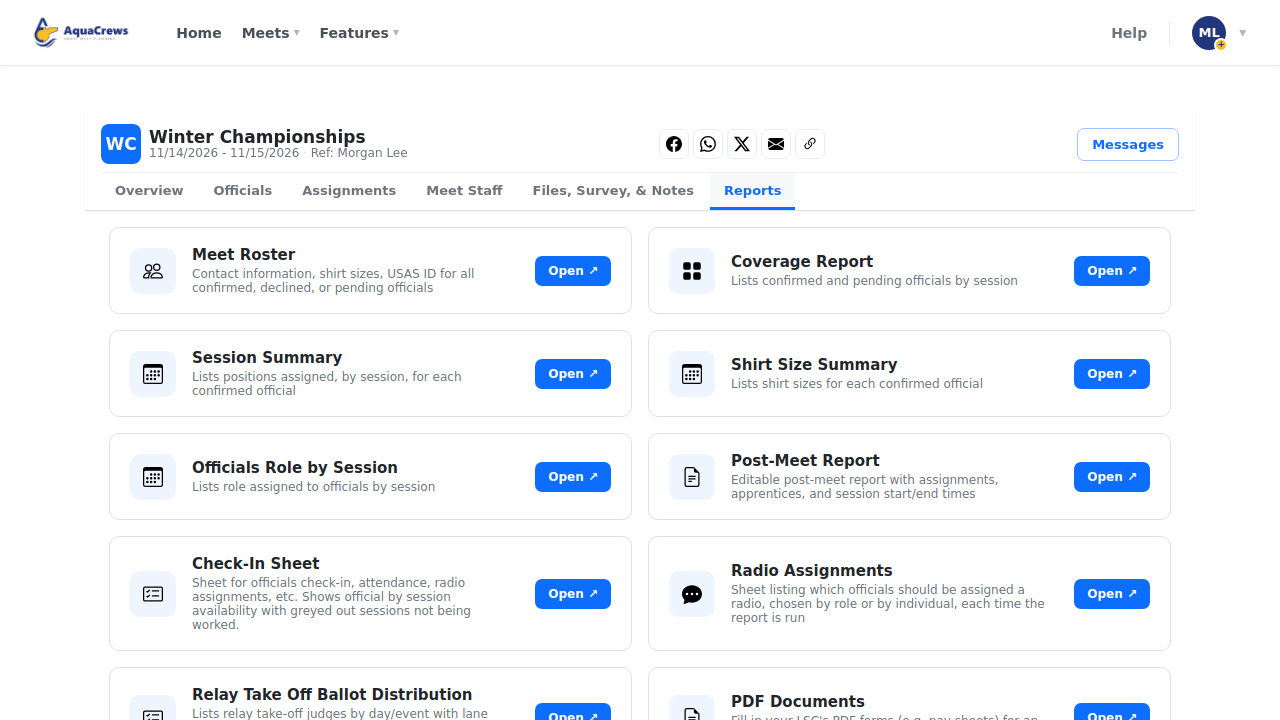
Click the Reports tab.
 Click to see a larger version
-
On Coverage Report, click Open.
-
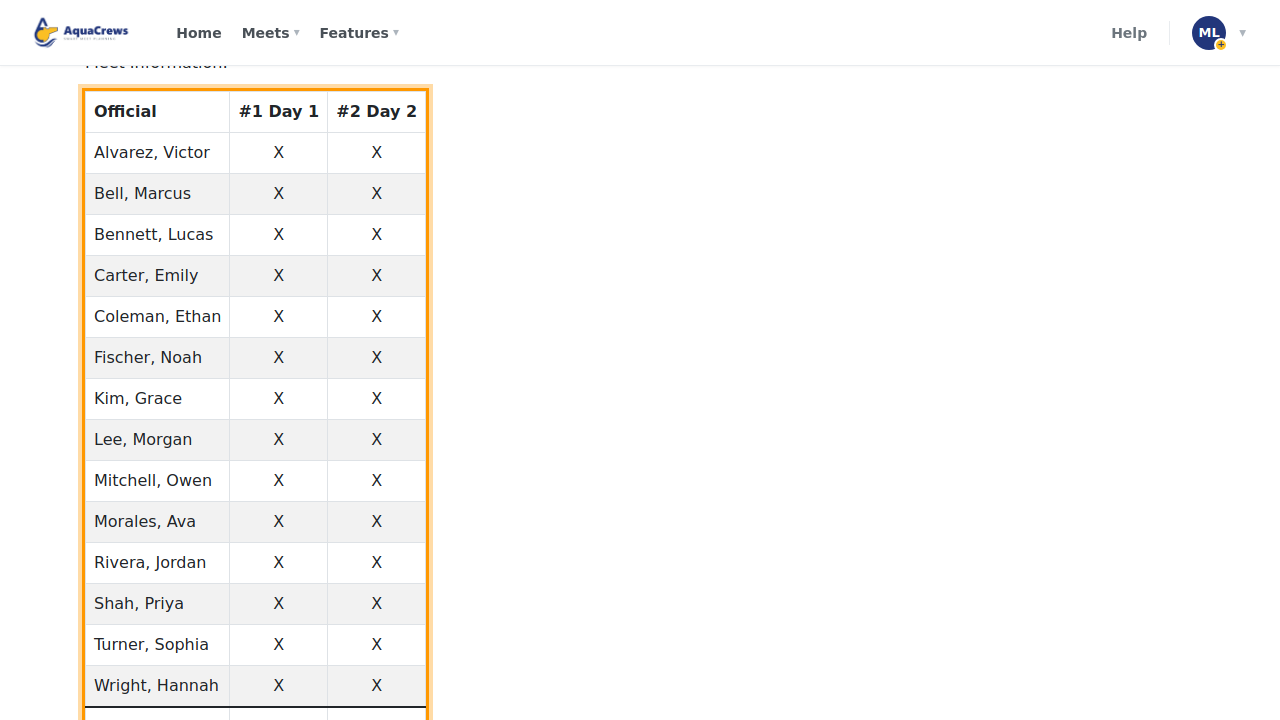
Each session lists its confirmed and pending officials.
 Click to see a larger version
-
Click Download as PDF or Download as XLSX to save a copy.
Related: All reports · Build deck assignments