
Meet Planner and meet staff
Turn on the Meet Planner and name your meet staff - the admin official, head deck referee, head starter, team lead, evaluators, and the planners who help you run the meet.
Note: Meet Planner must be enabled for your organization.
Before you start: you're the meet's referee, or an LSC administrator.
Steps
- On the Home page, find the meet under My Meets and click Manage.
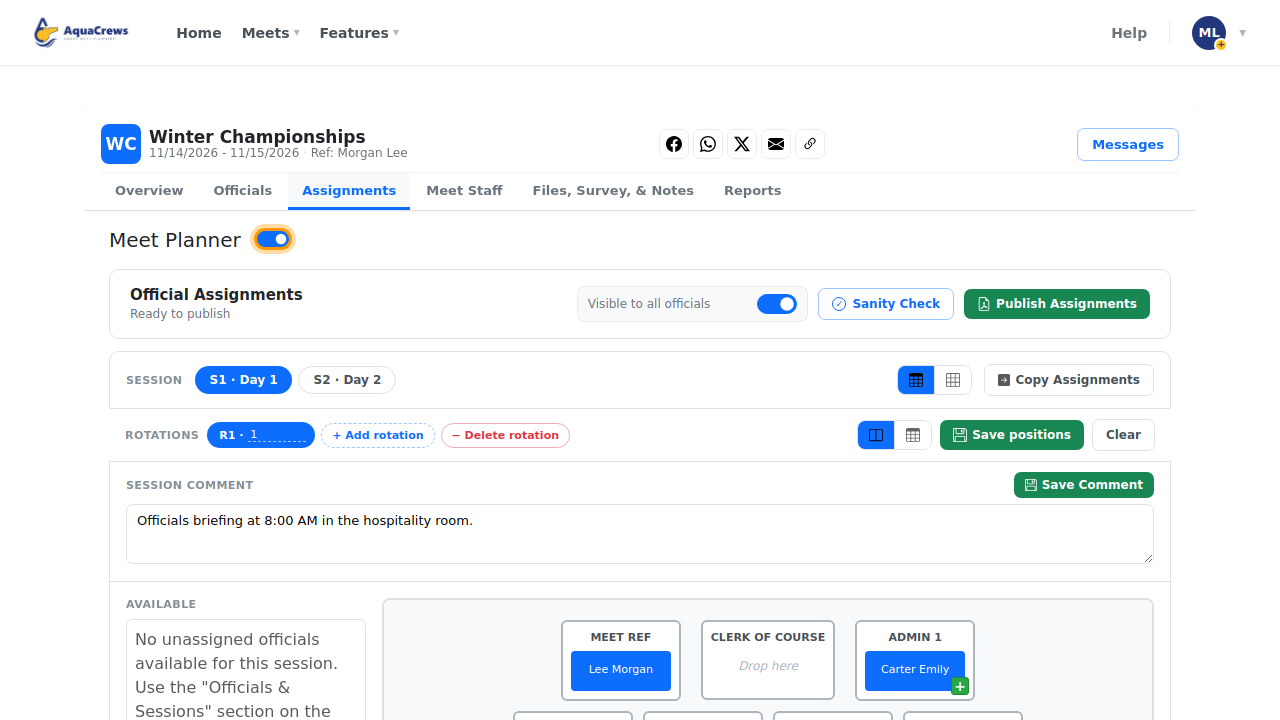
- Click the Assignments tab.
-
Make sure Meet Planner is turned on.
 Click to see a larger version
-
Click the Meet Staff tab.
- Choose the Admin Official.
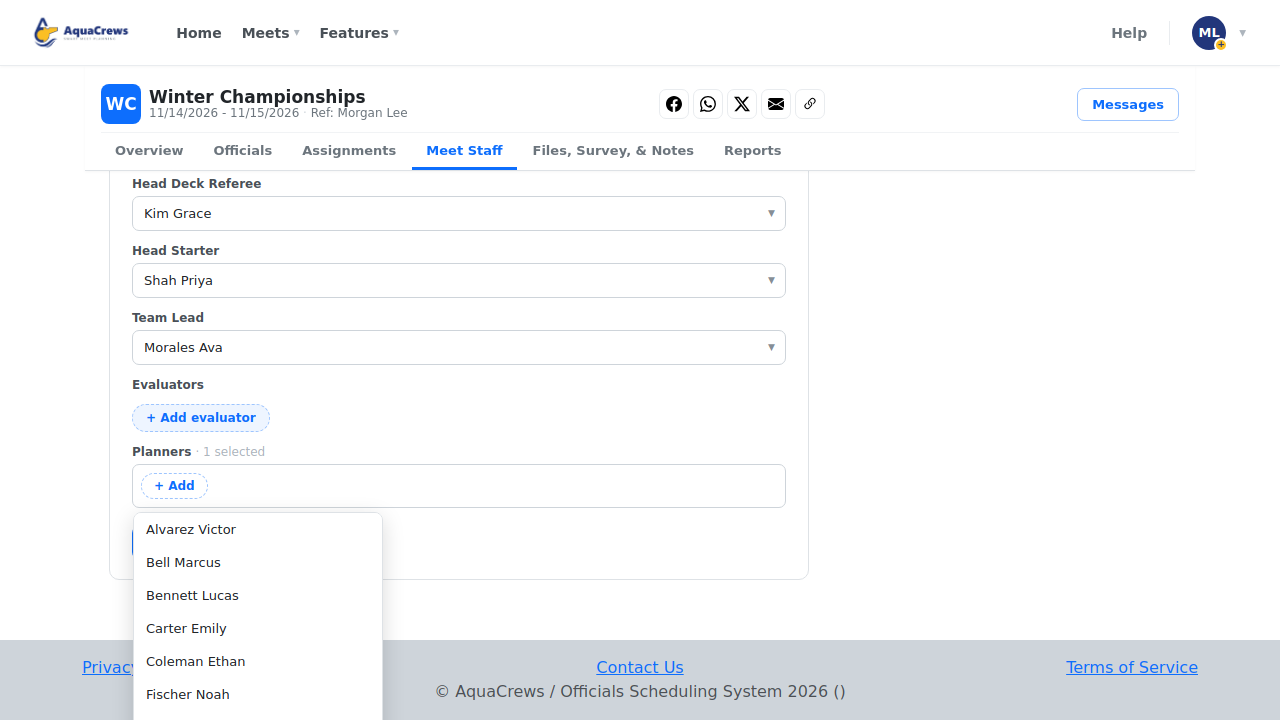
- Choose the Head Deck Referee, Head Starter, and Team Lead.
-
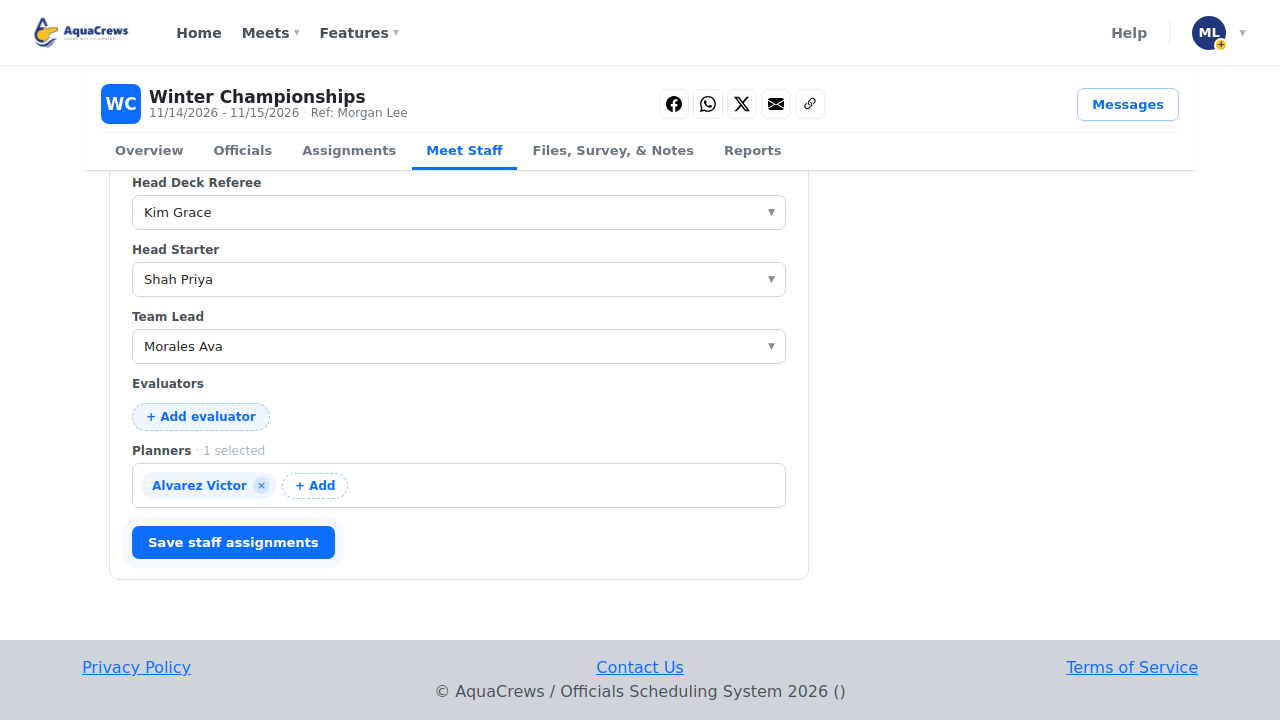
Under Planners, click + Add and choose who can help you plan the meet.
 Click to see a larger version
-
Click Save staff assignments.
-
Meet staff and planners can now open this meet's management page.
 Click to see a larger version
Tips & troubleshooting
- Only confirmed officials can be chosen - confirm them on the Officials tab first.
- Click + Add evaluator to name evaluators.
- Open water meets show Meet Director, Safety Monitor, and Medical Officer instead of the deck roles.
- Meet staff appear on the meet page's Staff & info tab for all officials.
Related: Tour of the meet management page · Meet files, links, and planning notes