
LSC Roster and credential imports
The LSC Roster lists every official in your LSC with their contact details, certifications, and credential status. Keep credentials current by importing the latest files, and use Credential Exceptions to see who needs attention.
Before you start: you're signed in as an LSC administrator.
Steps
- Click Admin.
- Click LSC Roster.
-
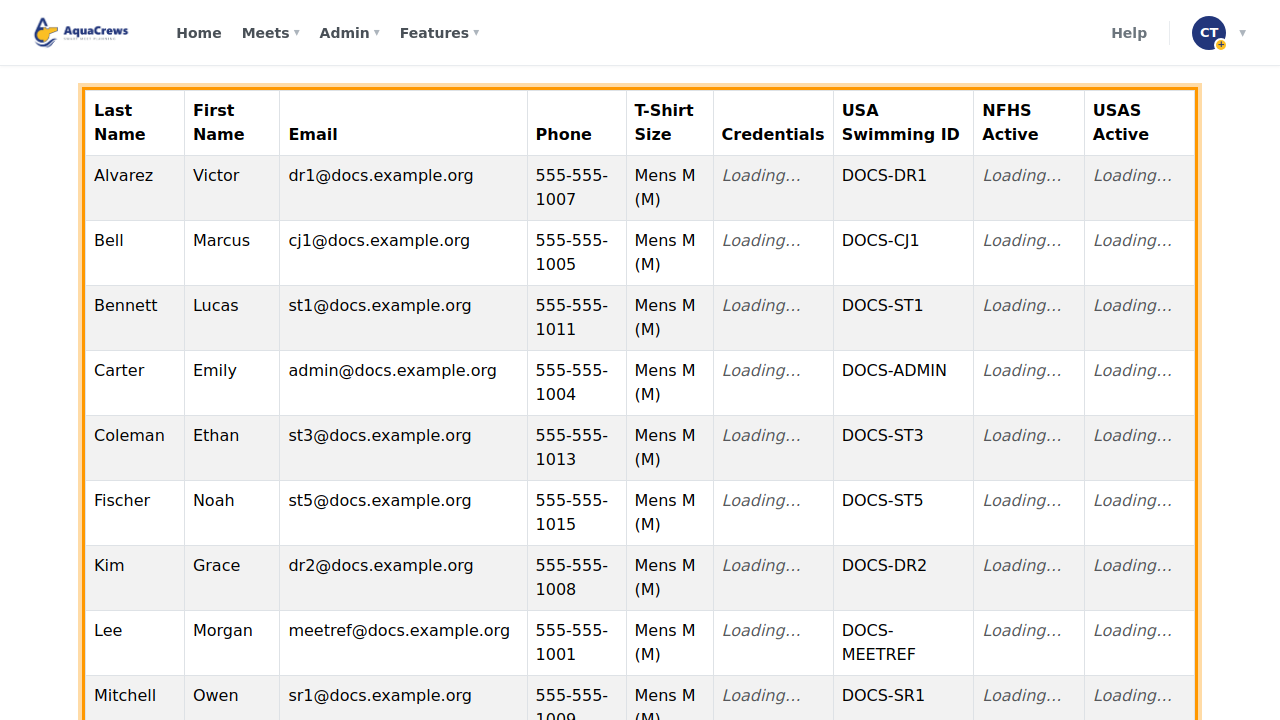
The roster lists every official in your LSC, with contact details, certifications, and credential status.
 Click to see a larger version
-
Download as PDF or Download as XLSX saves a copy.
- To update credentials, click Import USAS Credentials.
-
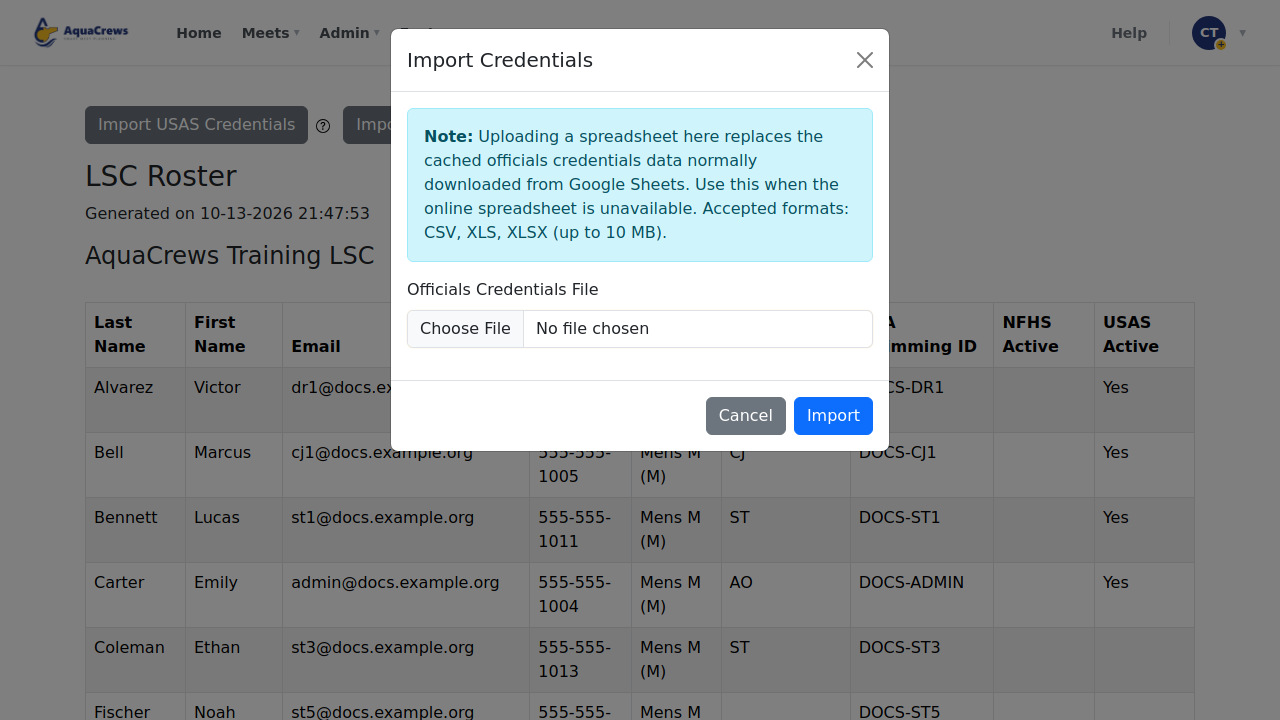
Choose the export file from USA Swimming and click Import - click ? next to the button for the file format.
 Click to see a larger version
-
Import TISDO Credentials does the same for high school (TISDO / NFHS / UIL) credentials.
- Click Credential Exceptions.
-
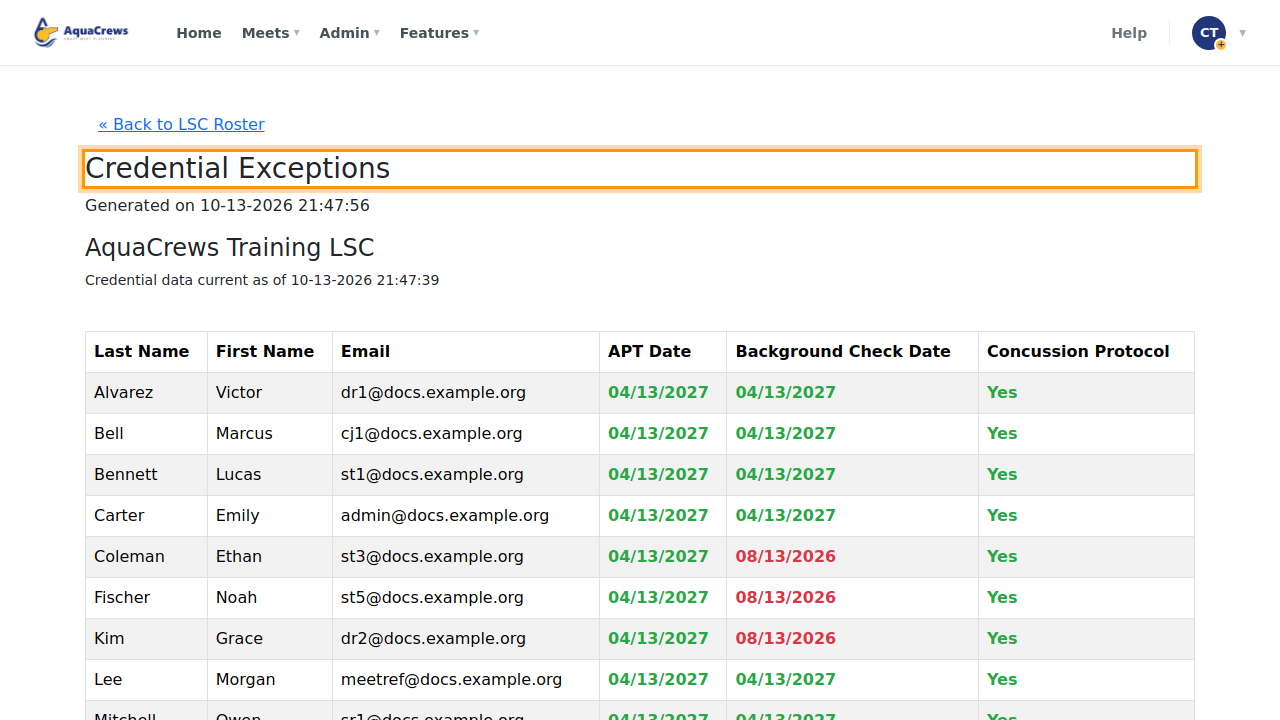
It lists officials whose credentials are missing, expired, or expiring soon.
 Click to see a larger version
Tips & troubleshooting
- Imported credentials replace the earlier ones, and the date they're current as of is shown on the roster and on each official's profile.
- If your organization pulls credentials automatically from a spreadsheet, you only need to import when you want an update sooner.
- Expired dates are shown in red.
Related: Check officials' credentials · LSC Statistics