
Post news
Post an announcement that shows at the top of every official's Home page in your LSC - clinics, deadlines, reminders.
Before you start: you're signed in as an LSC administrator.
Steps
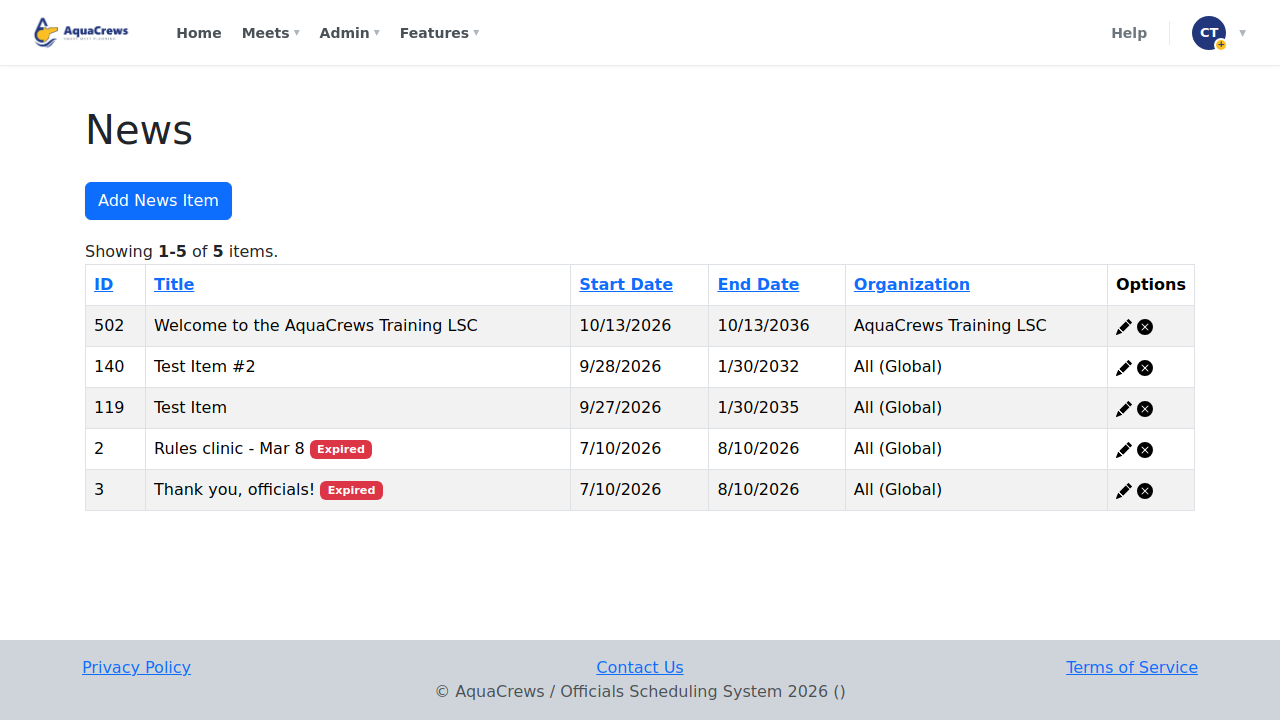
- Click Admin.
- Click News.
-
Click Add News Item.
 Click to see a larger version
-
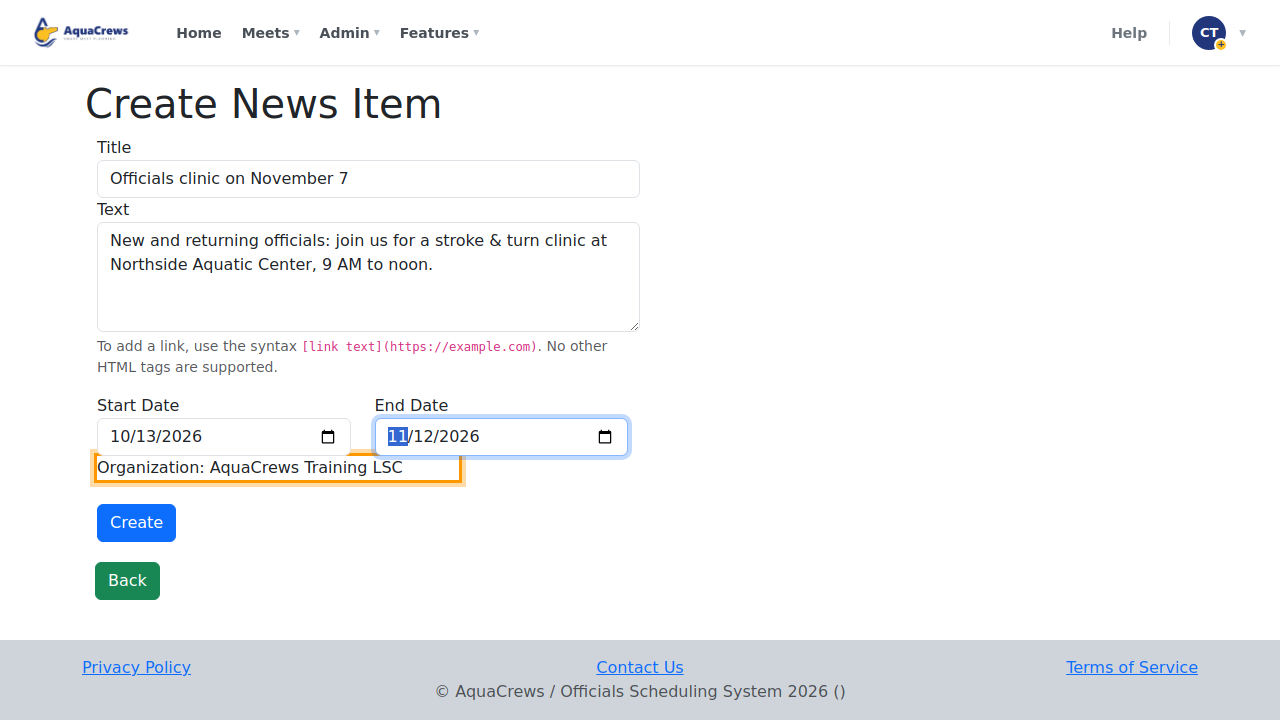
Enter a Title and the text of the news item.
- Choose the Start Date and End Date - the item shows on the Home page between them.
-
The news goes to everyone in your LSC.
 Click to see a larger version
-
Click Create.
-
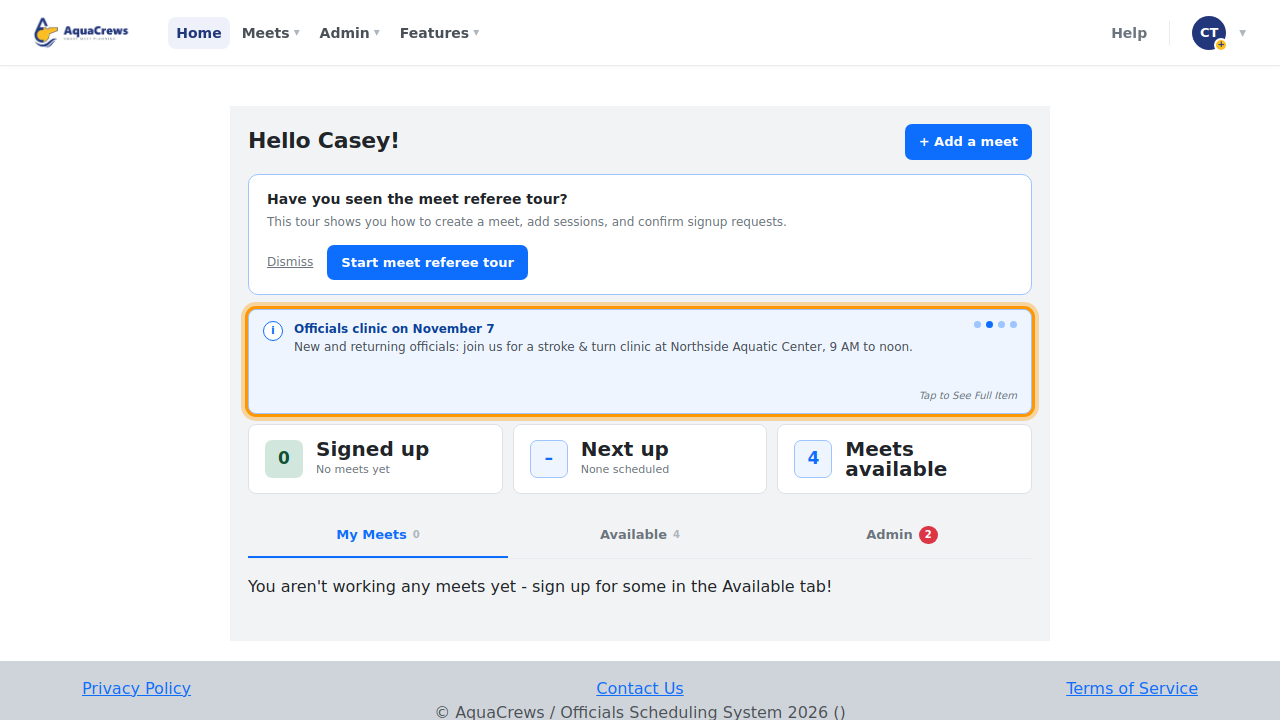
Officials see it at the top of their Home page.
 Click to see a larger version
Tips & troubleshooting
- To add a link, type
[link text](https://example.com)in the text. - When there's more than one item, they take turns at the top of the Home page.
- Items past their End Date are marked Expired in the list and no longer show. Use the pencil to change an item, or to delete it.
- Items marked All (Global) come from the AquaCrews team and show in every LSC.
Related: Organization-wide messages