
Report: Relay Take Off Ballots
Works out how many relay take-off ballot slips each relay judge needs for each relay event. First set up the relay events and judges on the Assignments tab, then enter the number of heats when you run the report.
Note: Meet Planner must be turned on for the meet.
Before you start: you're the meet's referee, an LSC administrator, or a planner for the meet.
Steps
- On the Home page, find the meet under My Meets and click Manage.
- Click the Assignments tab and choose the session.
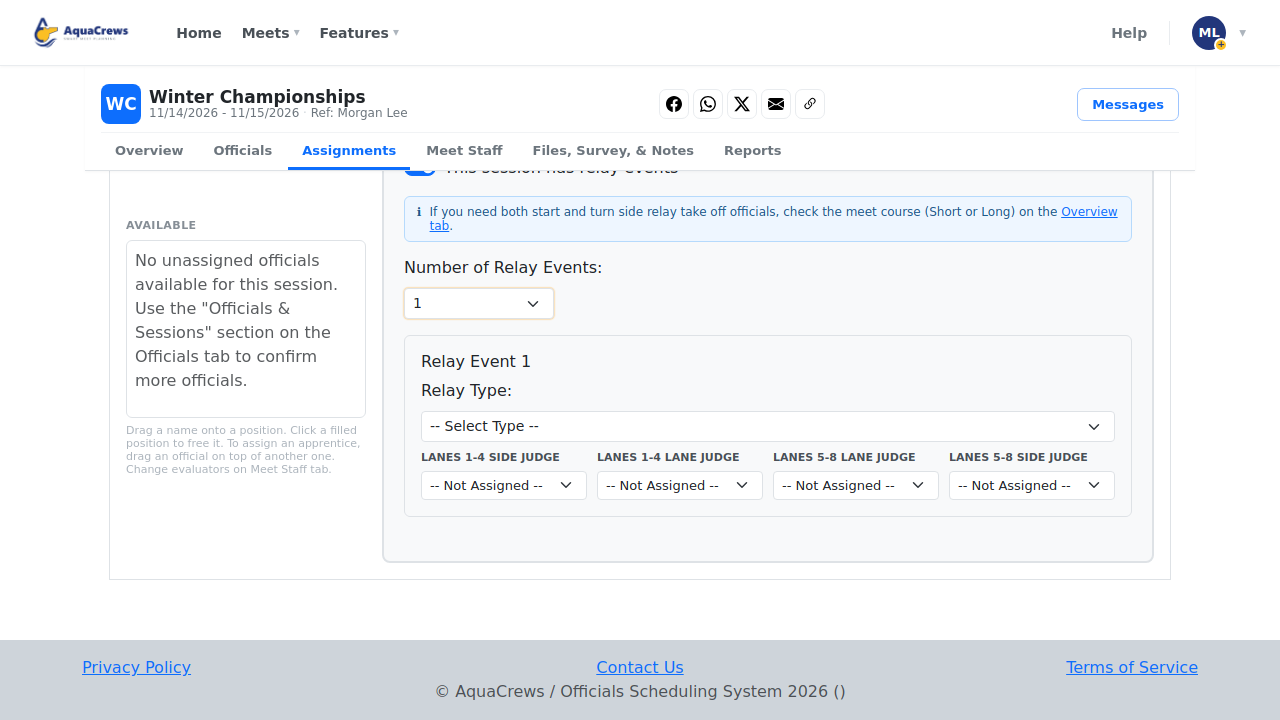
- Below the pool, turn on This session has relay events.
-
Choose the Number of Relay Events and each Relay Type.
 Click to see a larger version
-
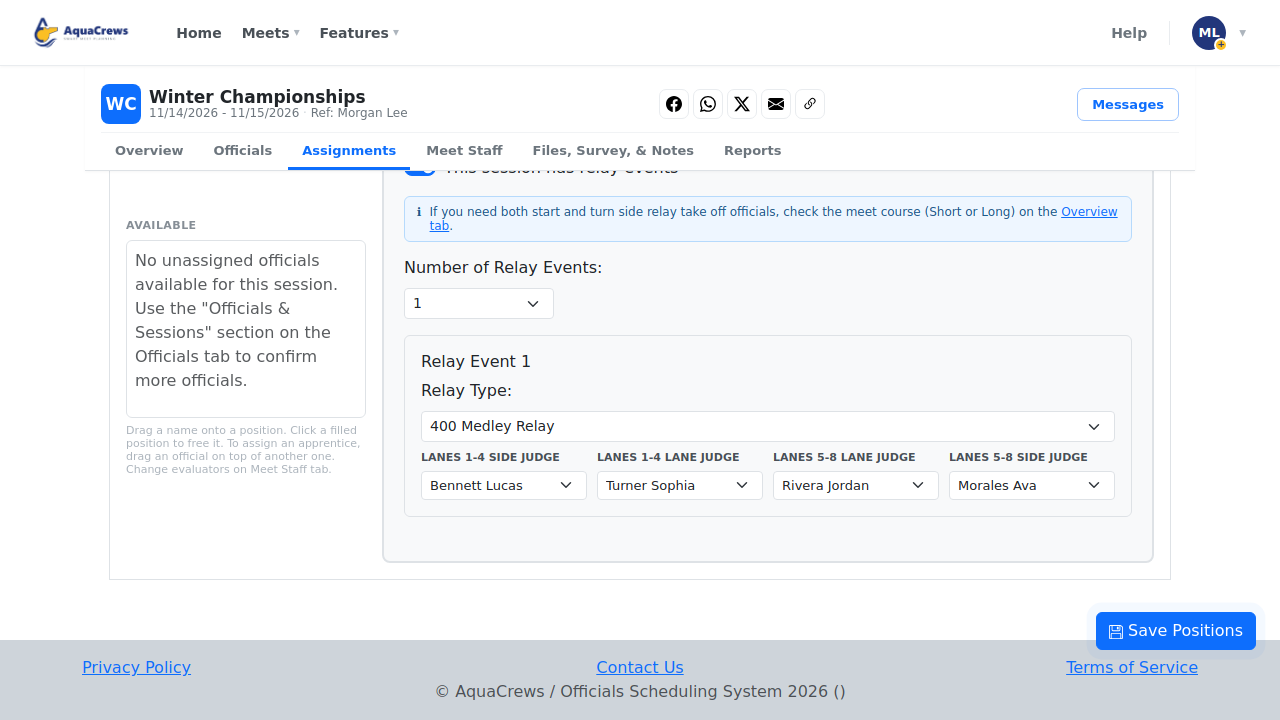
Choose a relay take-off judge for each position.
 Click to see a larger version
-
Click Save positions.
- Click the Reports tab.
- On Relay Take Off Ballot Distribution, click Open.
-
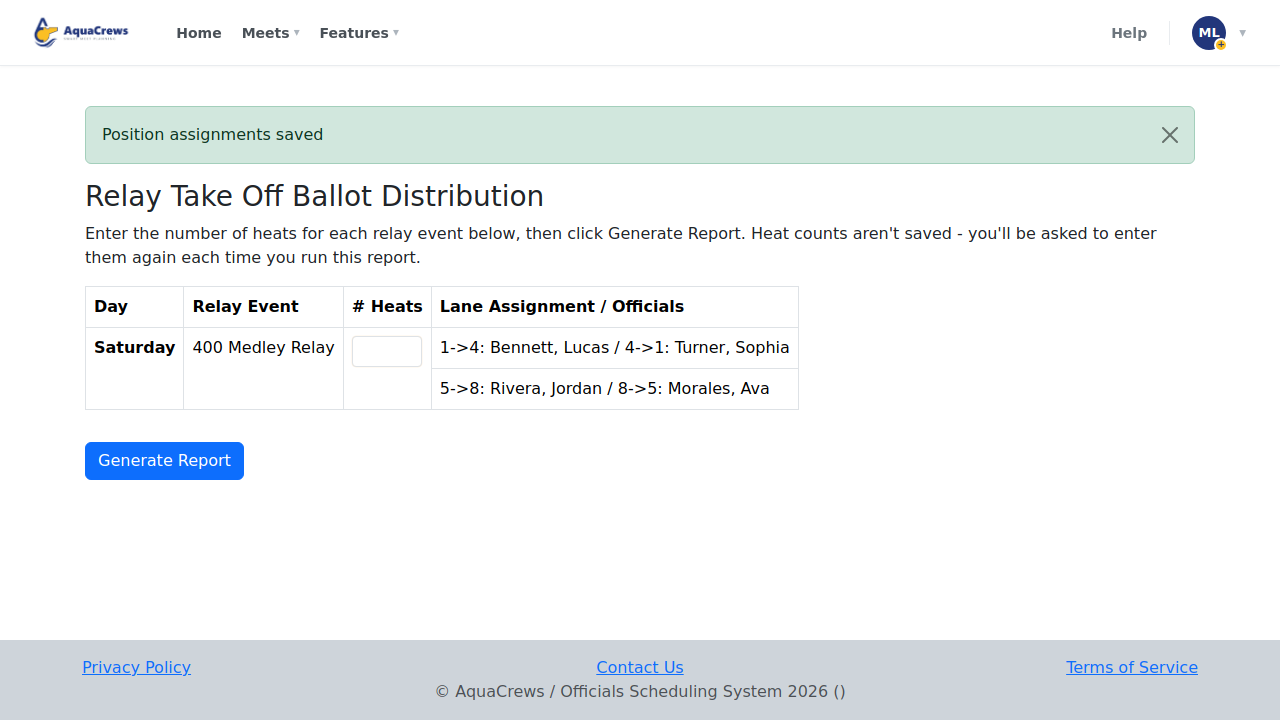
Enter the number of heats for each relay event, then click Generate Report.
 Click to see a larger version
-
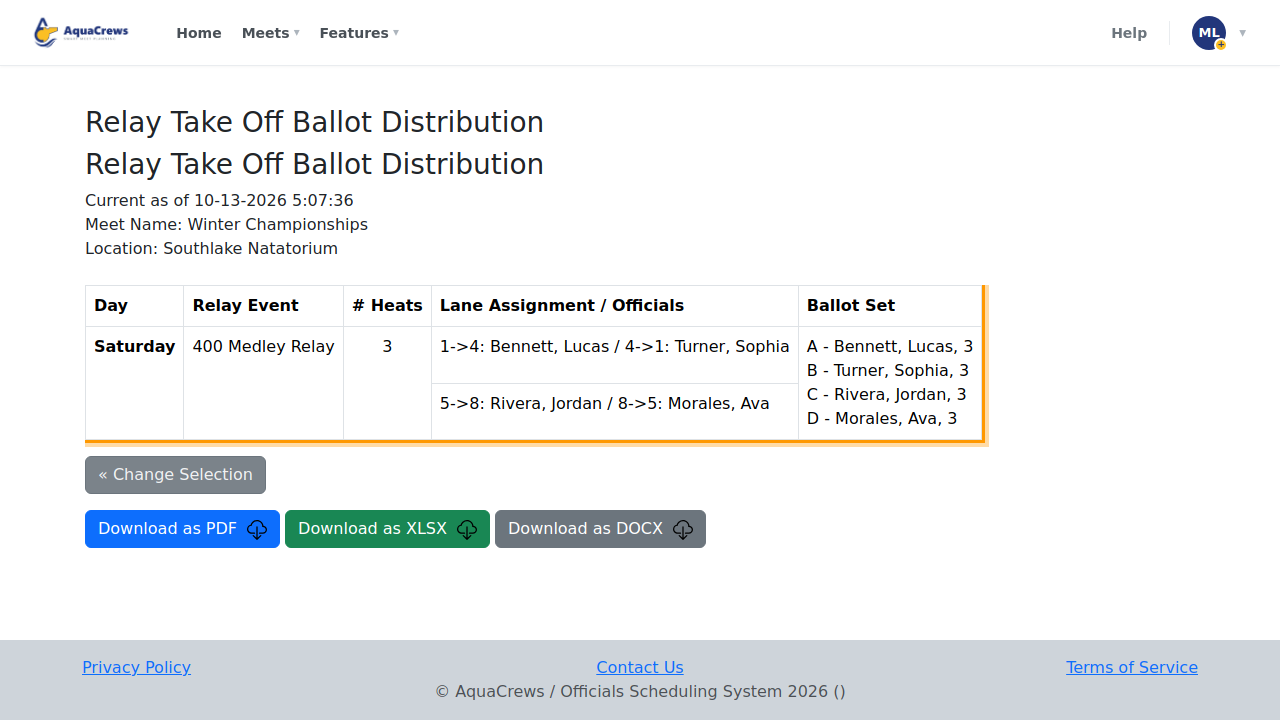
Each judge's lanes and the number of ballot slips they need are listed.
 Click to see a larger version
Tips & troubleshooting
- The number of heats matters - each judge needs one ballot per heat, so enter the real number of heats from the heat sheet. It isn't saved; enter it each time you run the report.
- For long course meets, set Pool course on the Overview tab so start and turn side judges are both listed.
- "This meet has no relay events configured" means step 3 hasn't been done for any session.
- Download the report as PDF, XLSX, or DOCX to print it.
Related: Build deck assignments · Report: Radio Assignments