
Check officials' credentials
See at a glance whether each official's background check, training, and registration are current, before you confirm them for your meet.
Note: Credential checking must be enabled for your organization.
Before you start: you're the meet's referee, or an LSC administrator.
Steps
- On the Home page, find the meet under My Meets and click Manage.
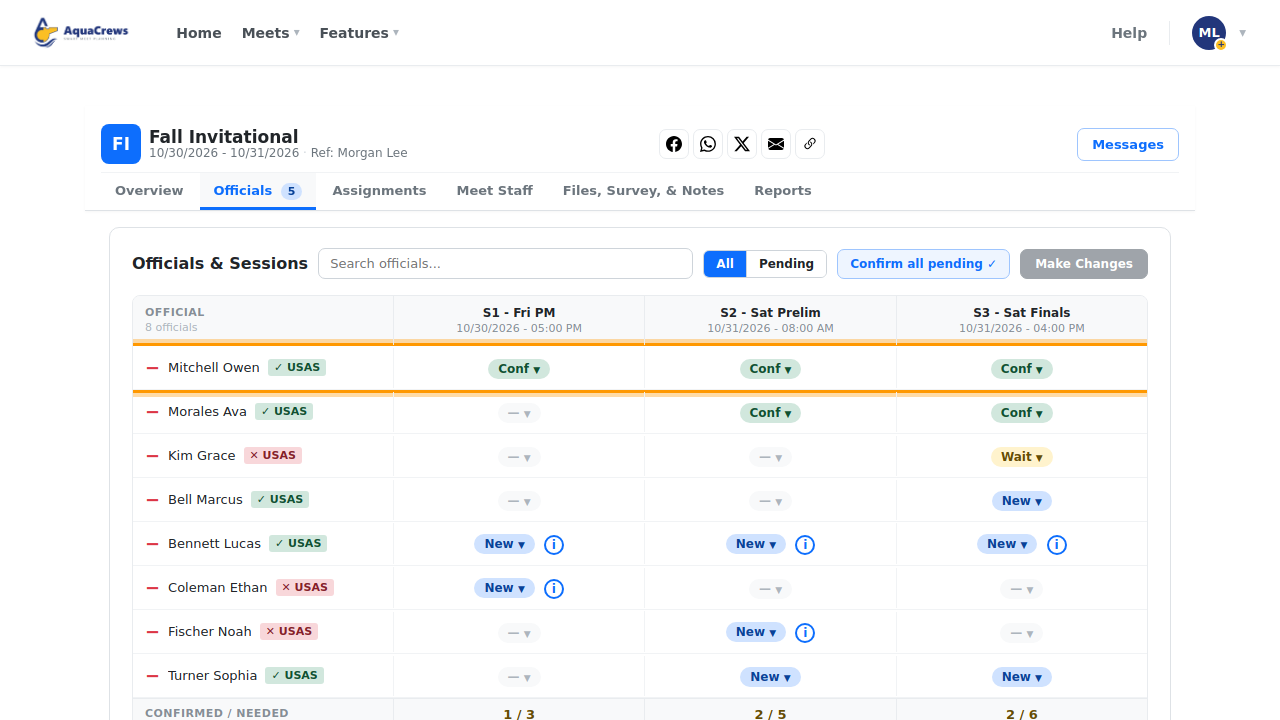
- Click the Officials tab.
-
Each official has a badge: green ✓ USAS means their credentials are current.
 Click to see a larger version
-
A red × USAS badge means something is missing or expired.
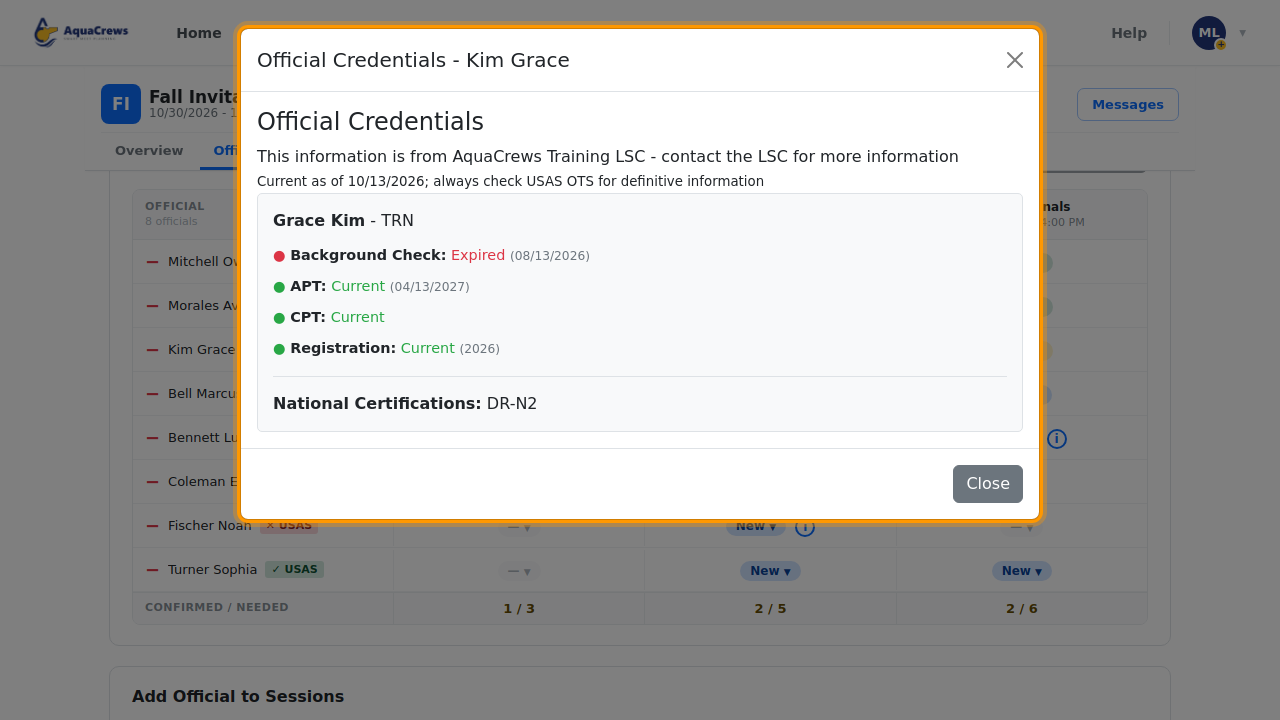
- Click the badge or the official's name to see the details.
-
The details show their Background Check, APT, CPT, Registration, and certifications.
 Click to see a larger version
Tips & troubleshooting
- ? USAS means AquaCrews is still checking, or couldn't find the official in your LSC's records.
- The details come from your LSC's officials records and are updated regularly - Current as of shows when. Always check USA Swimming's OTS for the final word.
- The same badges appear on the planner's Available list.