
LSC Locations
See the pools in your LSC - addresses, directions, notes for officials, and upcoming meets - and ask for a pool to be added when it's missing.
Before you start: you're signed in.
Steps
- Click Features.
- Click View LSC Locations.
-
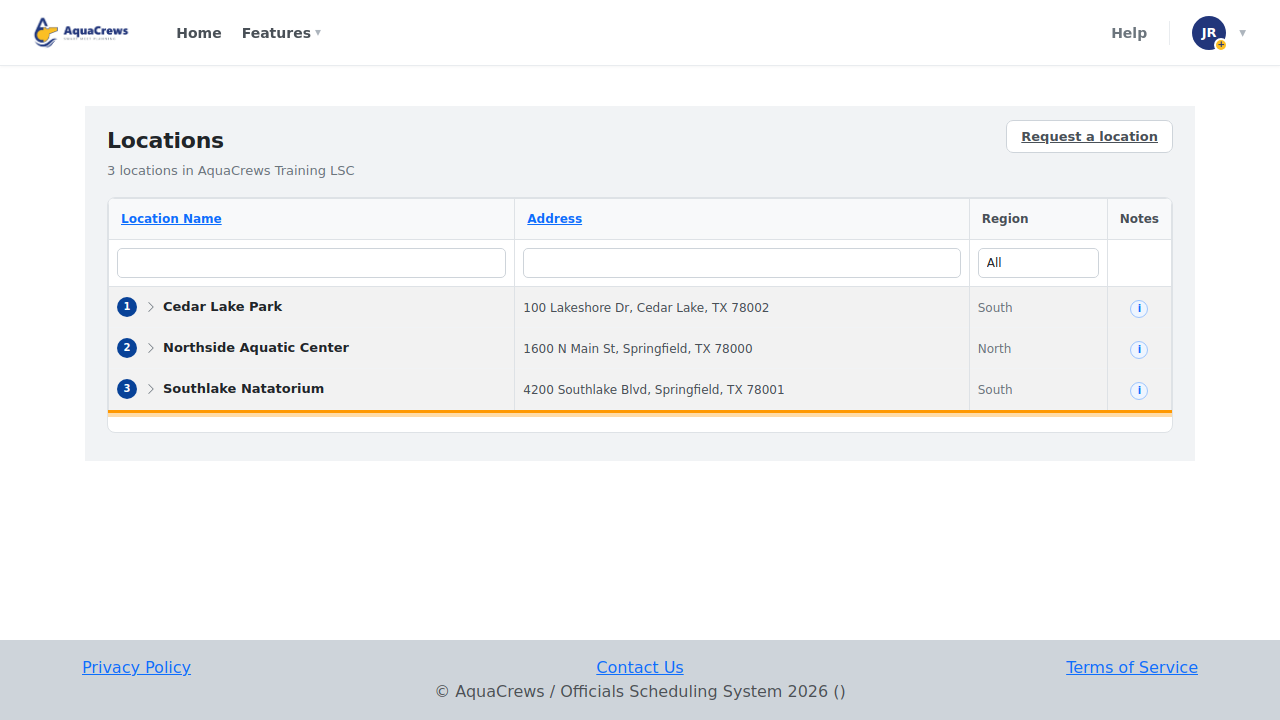
The list shows every pool in your LSC, with its address and region.

Click to see a larger version -
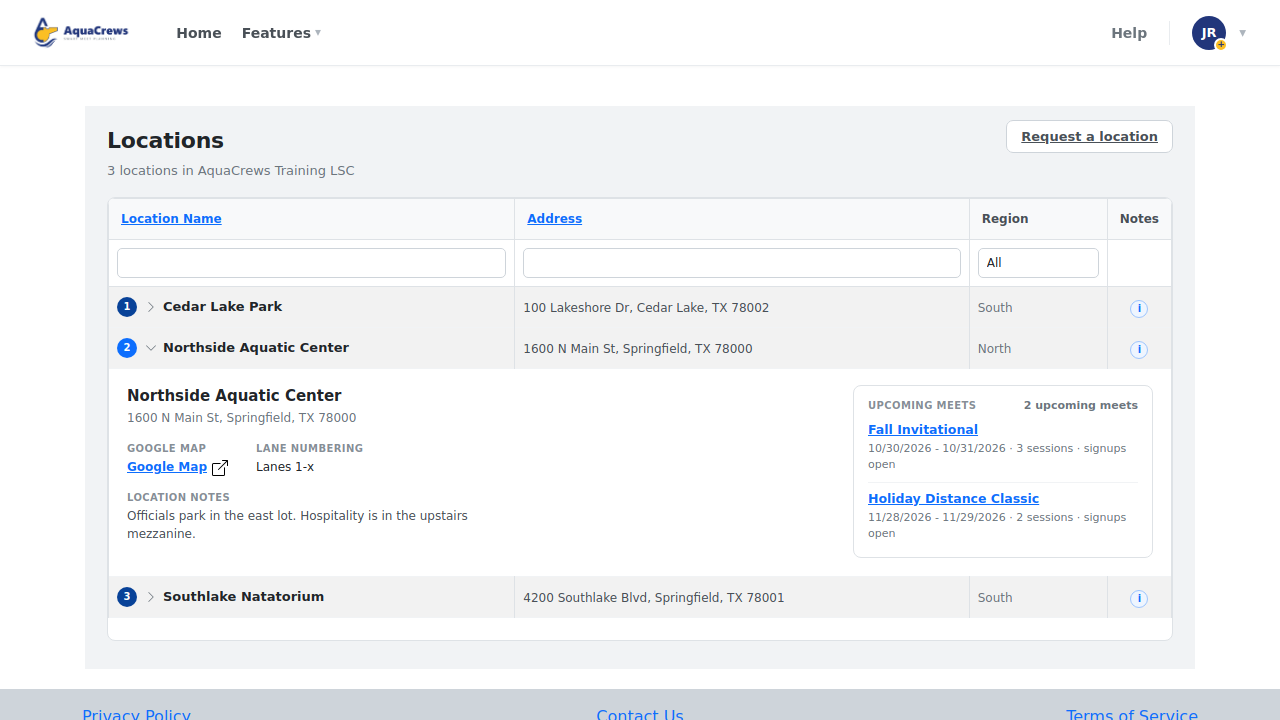
Click a pool's name to see its details and upcoming meets.

Click to see a larger version -
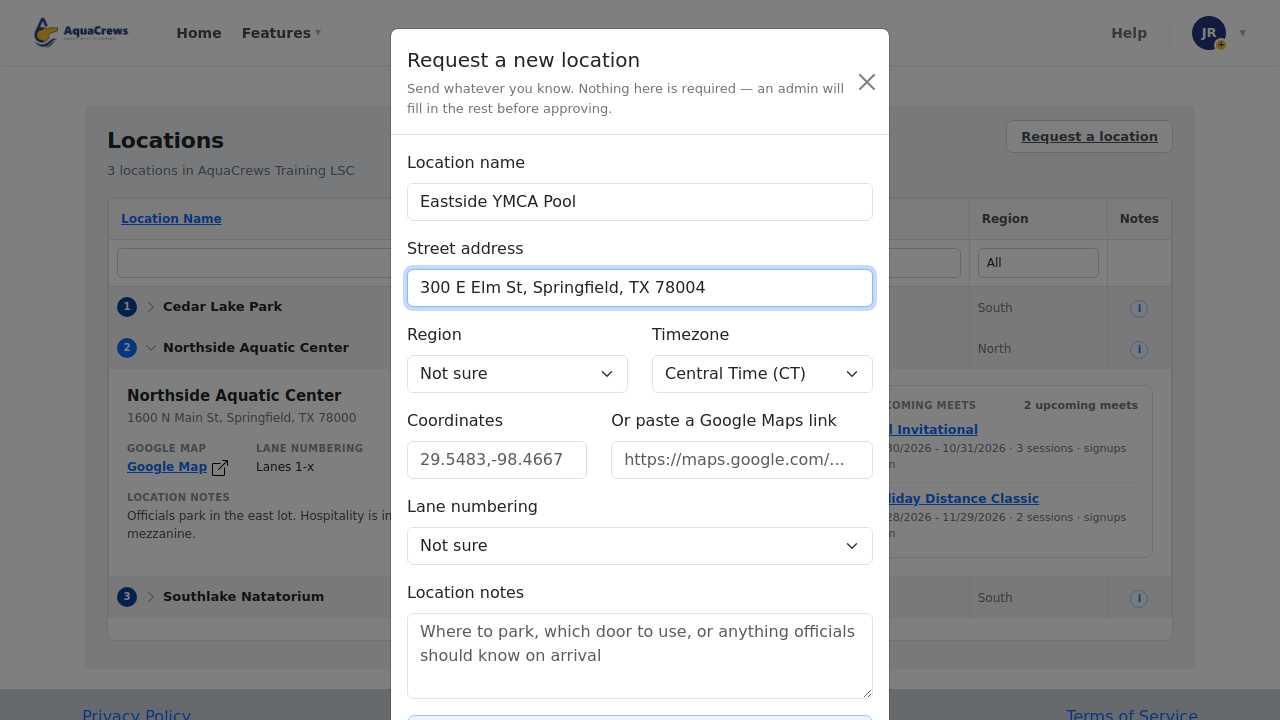
Pool missing? Click Request a location.
-
Enter the pool's name and address, and any other details you know.

Click to see a larger version -
Click Send request - your LSC administrator reviews it.
Tips & troubleshooting
- Type in the boxes above the columns to filter the list by name, address, or region.
- Click Google Map in a pool's details for directions.
- Location notes tell you where to park, which door to use, and where to check in.
- In the request form you can paste a Google Maps link instead of typing the map coordinates.
Related: The meet info page